AI PCs for Creators: Content Creation PCs for Local AI and Creative Workflows
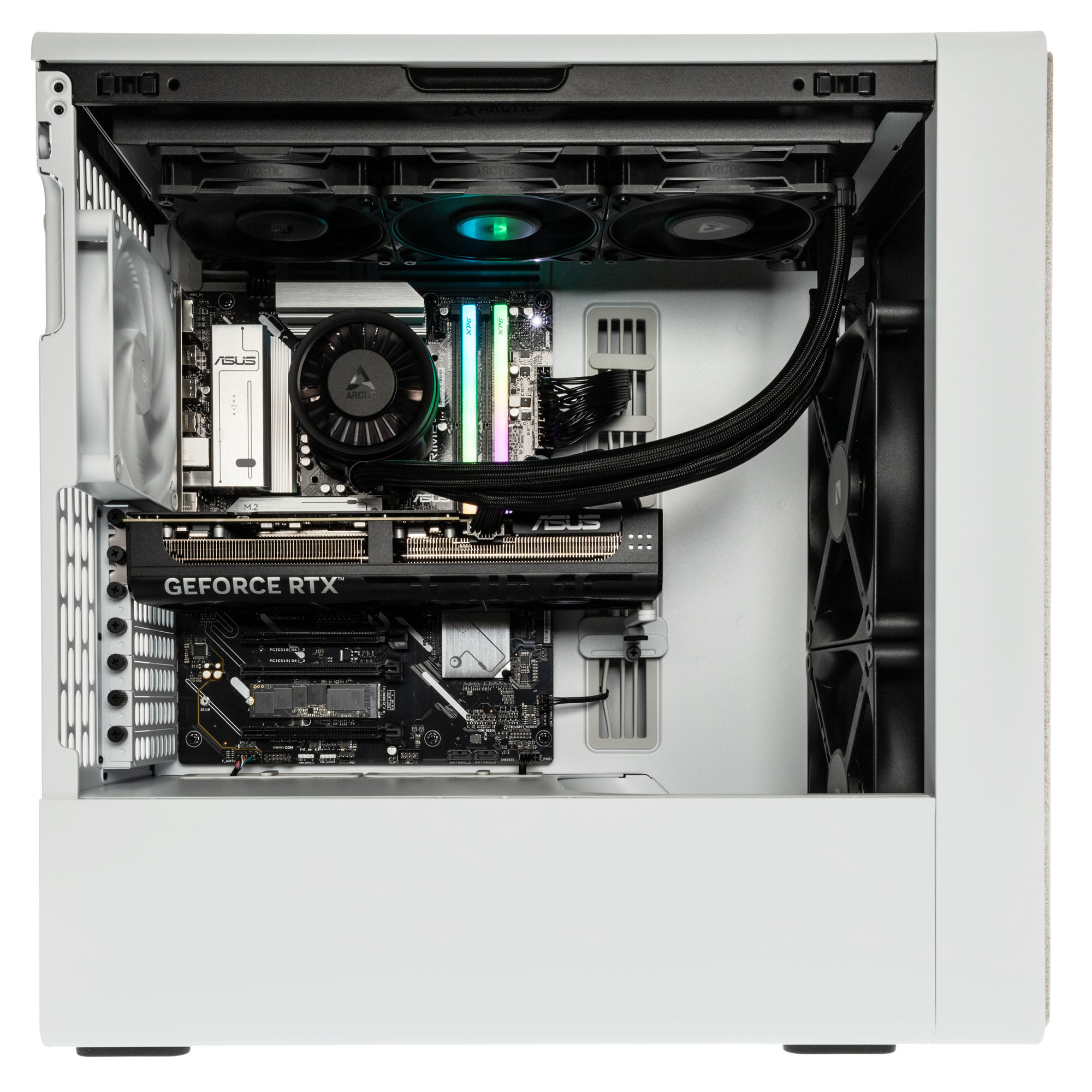
Want to use AI image generation, ComfyUI, Stable Diffusion, video editing, 3D rendering or local AI assistants directly on your own system? Then you need more than a standard office PC – you need a powerful creator PC with a high-performance graphics card, plenty of VRAM, sufficient RAM and fast NVMe SSD storage.
This keeps prompts, project data and media assets stored locally on your machine, allowing you to work independently of cloud queues, API limits and external software costs.
Performance Classes for AI Creator PCs
| Segment |
Suitable For |
Recommendation |
| Entry Level |
Testing AI image generation, basic editing workflows |
12 GB VRAM, 32 GB RAM, 1 TB NVMe SSD |
| Advanced Creator |
ComfyUI, SDXL, 4K editing, streaming |
16 GB VRAM, 32–64 GB RAM, 2 TB NVMe SSD |
| Pro Creator |
3D, 8K, large projects and parallel tools |
24–32 GB VRAM, 64 GB+ RAM and advanced cooling |
| Local AI Workstation |
Larger LLMs, complex models and batch workflows |
Large amounts of VRAM and RAM, high-capacity NVMe storage |
Which AI PC Do I Need for My Workflow?
AI Image Generation & Generative AI
For Stable Diffusion, ComfyUI, upscaling and inpainting, the graphics card is the most important component. 12 GB of VRAM is a solid starting point, while 16 GB or more is recommended for SDXL, higher resolutions and more advanced workflows.
Video Editing
For Premiere Pro, DaVinci Resolve, After Effects and 4K/8K editing, you'll need a powerful GPU, a modern multi-core CPU, 32–64 GB of RAM and a fast NVMe SSD.
3D Rendering
For Blender rendering, Cinema 4D, Unreal Engine and ray tracing, GPU performance, VRAM, CPU power and reliable cooling are essential. For larger scenes, 64 GB of RAM or more is highly recommended.
Streaming & YouTube
For OBS, livestreaming, recording, editing and AI tools running simultaneously, a powerful GPU encoder, a fast CPU, at least 32 GB of RAM and sufficient SSD storage are important.
Local LLMs
For local chatbots, text generation, scripting and summarisation using tools such as Ollama or LM Studio, you'll need plenty of RAM, VRAM and fast SSD storage. The larger the model, the more important memory reserves become.
Whether in the office or working from home, an AI PC for creators allows you to run AI image generation, local AI tools and creative applications directly on your own system. But why is local AI particularly valuable for content creation?
What Are the Benefits of Local AI for Content Creation?
Local AI applications run directly on your own PC. This can be especially beneficial for creator workflows when projects, prompts and media assets should not be processed through external cloud services.
- Improved Privacy: Sensitive project files, prompts and media assets remain stored locally on your system.
- Predictable Usage: With suitable hardware, many AI workloads can run without queues, API fees or monthly subscriptions for specific workflows.
- Better Multitasking: With sufficient RAM, VRAM and GPU performance, you can run multiple creator and AI applications simultaneously.
- Greater Workflow Control: Local AI tools such as ComfyUI can be integrated directly into creative processes, including AI image generation, upscaling, video editing and local assistants.
What Should I Consider When Buying an AI PC?
An AI PC for creators should match your creative workflow. For AI image generation, upscaling, video editing, 3D rendering and local AI tools, the most important factors are a powerful GPU with plenty of VRAM, sufficient RAM, fast SSD storage and reliable cooling. This allows you to work more smoothly, process projects locally and use AI features directly on your own machine.
RAM
Memory
is important when running multiple creator and AI applications simultaneously. 32 GB of RAM is a sensible starting point for basic workflows. For 4K video editing, larger project files, 3D scenes or local AI tools, 64 GB or more is recommended. More RAM provides additional headroom when applications, browsers, media projects and AI tools run at the same time.
Graphics Card & VRAM
The graphics card
is the most important performance factor for many local AI and creator workflows. VRAM in particular determines how well AI image generation, upscaling, video editing and local AI models perform. 12 GB of VRAM is suitable for entry-level use, while 16 GB or more is recommended for more demanding workflows. For very large models, high resolutions or complex 3D projects, a high-end GPU with a large amount of video memory is worthwhile, such as an RTX 5090 with 32 GB of VRAM.
Fast SSD Storage is also important: Local AI models, checkpoints and additional data can require several gigabytes to well over 40 GB of storage, depending on the application. A fast PCIe 4.0 NVMe SSD or better ensures that models, project files and media assets load quickly.
NPU and TOPS: What Matters in AI PCs?
An NPU is a specialised AI accelerator and is often measured in TOPS. This can be useful for Copilot+ features and efficient Windows AI workloads. For creator workflows such as Stable Diffusion, ComfyUI, DaVinci Resolve, Blender or local LLMs, however, the dedicated graphics card is usually more important – especially VRAM capacity, AI compute performance and memory bandwidth.
For local AI models, AI image generation, content creation and software development, you benefit from Caseking’s many years of experience in configuring and building high-performance PC systems. Every AI PC is carefully assembled, inspected and tested by our experts before shipping.
- Many years of experience in building and configuring high-performance PC systems
- Careful assembly, quality control and functional testing before shipment
- 36-month King Mod warranty including pickup & return service
- Custom hardware upgrades and special configurations available
- High-performance systems for local AI applications, content creation and development
Need more memory, a different graphics card or a custom configuration for your workflow? Simply contact us at [email protected] and we’ll be happy to discuss the available options for your system.
FAQ – AI PCs for Creators
Which Creators Benefit from an AI PC?
An AI PC is ideal for creators who regularly work with video editing, image editing, 3D rendering, streaming, AI image generation or local AI assistants. It is particularly worthwhile when creative workflows need to run faster, more efficiently and with less reliance on cloud services.
How Does an AI PC Improve Video Editing?
An AI PC can make video workflows more efficient through GPU and AI acceleration. Typical benefits include faster rendering, AI upscaling, automatic subtitles, noise reduction, scene detection and smoother editing of 4K and 8K footage.
What Are the Benefits of an AI PC for Image Editing and Design?
For image editing and design, an AI PC accelerates features such as generative fill, background removal, denoising, upscaling and batch processing. This makes it easier to complete creative tasks in applications such as Photoshop, Lightroom and AI image-generation tools.
Why Is the Graphics Card Especially Important for Creators?
The graphics card is critical for many creator workflows because it accelerates rendering, AI processing, video editing and generative applications. For local AI models and AI image generation, sufficient VRAM is particularly important.
How Much RAM and VRAM Do Creators Need for AI Workflows?
At least 32 GB of RAM is recommended for creators. For VRAM, 8 to 12 GB is sufficient for basic AI and editing workflows, while 16 GB or more is recommended for Stable Diffusion, larger local AI models, 4K video editing and 3D projects.
How Much VRAM Do I Need for Stable Diffusion and ComfyUI?
12 GB of VRAM is a good starting point for Stable Diffusion and ComfyUI. This is sufficient for most standard workflows. For SDXL, higher resolutions, advanced ComfyUI workflows or running multiple models simultaneously, 16 GB of VRAM or more is recommended. Users who regularly work on complex projects benefit from 24 GB of VRAM and above.
What Is More Important for Local AI: GPU, CPU or RAM?
For local AI workloads, the GPU is usually the most important component, particularly the amount of available VRAM. It determines how large a model can run locally and how quickly AI image generation, LLMs and other AI workflows can be processed. RAM is important for larger projects and multitasking, while the CPU generally plays a supporting role.
Can an AI PC Run Local AI Models for Content Creation?
Yes, a powerful AI PC can run local AI models for content ideas, scripts, summaries, translations, chatbots and workflow automation. The larger the model, the more RAM, VRAM and processing power will be required.
Is an AI PC Worthwhile for Streaming and YouTube?
An AI PC is an excellent choice for streaming and YouTube when recording, editing, effects, thumbnails, subtitles and AI tools need to run on the same system. Creators benefit from improved multitasking, faster exports and more stable live production workflows.
Is a Gaming PC Sufficient for Creator and AI Workflows?
Yes, many modern gaming PCs are excellent for content creation and local AI applications. The key requirements are a powerful graphics card with sufficient VRAM, at least 32 GB of RAM and a fast NVMe SSD. For AI image generation, video editing, streaming and most local AI models, current gaming systems already provide a very strong foundation.
What Should Creators Look for When Buying an AI PC?
Creators should look for a powerful GPU with sufficient VRAM, at least 32 GB of RAM, a fast NVMe SSD, a modern multi-core processor and effective cooling. Most importantly, the hardware should match the intended workflow, whether that is video editing, 3D rendering, streaming, image editing or local AI applications.