
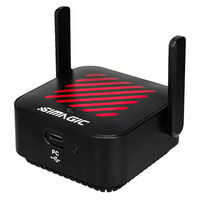
54,00 €
Incl. VAT, add. delivery costs


With a repeater or mesh system, you can improve Wi-Fi coverage throughout your flat or house.
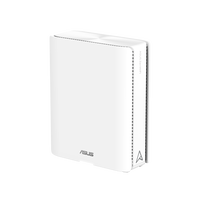

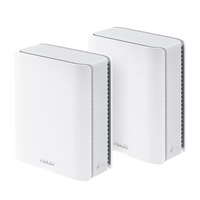
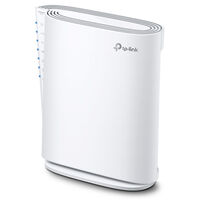

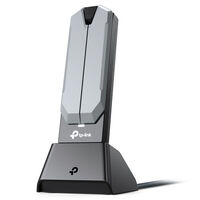


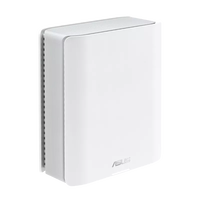
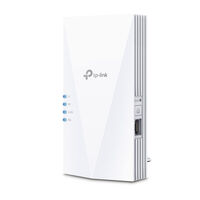
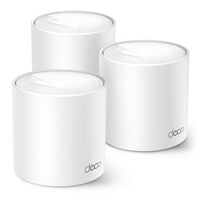
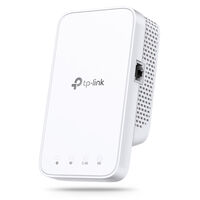
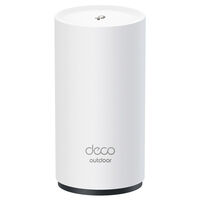
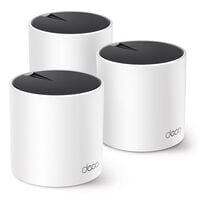
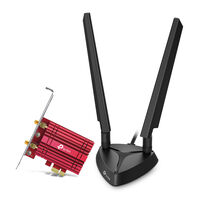
Repeaters and mesh systems are used when your router alone cannot provide complete Wi-Fi coverage throughout your home. They increase the range of your Wi-Fi connection and help reduce dead zones in larger flats and houses. Discover models with different Wi-Fi standards and frequency bands.
Wi-Fi repeaters act as range extenders for your Wireless Local Area Network, increasing its coverage. They are either plugged into a power socket or positioned freely in the room. Some models also offer additional LAN ports. Because data is often received and retransmitted over the same Wi-Fi connection, the available data transfer rate may be reduced.
Mesh systems are used to provide wider Wi-Fi coverage. A mesh network consists of multiple devices and requires a router. With mesh systems, the data transfer rate between individual devices can also decrease, particularly when they communicate wirelessly. To achieve the highest possible data transfer rates, mesh systems can use a separate Wi-Fi band or a LAN connection for communication between the devices.
| Wi-Fi Repeater | Mesh System |
|---|---|
| extends an existing Wi-Fi network | multiple Wi-Fi points work together as one system |
| good for individual Wi-Fi dead zones | good for larger areas and multiple floors |
| usually more affordable | usually requires a higher investment |
| simple expansion | centralised management and more seamless Wi-Fi coverage |
| depends on the existing router or system | often available as a complete kit |
A Wi-Fi repeater is particularly suitable for individual dead zones, while a mesh system can be a better choice for larger flats, houses, or multiple floors. When choosing, pay attention to the Wi-Fi standard, frequency bands, router compatibility, and available LAN ports.
A dual-band mesh system usually uses the 2.4 GHz and 5 GHz frequency bands. Both Wi-Fi bands are then used for communication between the mesh devices as well as for connections to end devices. This can reduce the available data transfer rates within the mesh system.
Tri-band systems feature an additional frequency band, creating more wireless capacity. This can help reduce the load on communication between the individual mesh points.
Alternatively, mesh points can be connected to each other via LAN cable. This so-called Ethernet backhaul reduces the load on the wireless connection between the mesh devices and can enable higher and more stable data transfer rates.
For very thick walls or several solid ceilings, PowerLAN adapters can be an alternative, as they transmit data via the existing electrical wiring.
This depends on your router, end devices, and the desired speed. Wi-Fi 6 provides a good basis for modern home networks, while Wi-Fi 6E can additionally use the 6 GHz band. Wi-Fi 7 enables even higher data rates and additional features. To benefit from a particular Wi-Fi standard, the router or mesh system and the end devices must also support it.
The number of mesh points you need depends on the size and layout of your flat or house. Walls, ceilings, and multiple floors can also affect Wi-Fi range. A small number of mesh points is often sufficient for smaller areas, while larger spaces or multiple floors may benefit from additional devices.
A Wi-Fi repeater should be positioned where it still has a sufficiently strong connection to the router while also being able to reach the desired area more effectively. If the repeater is placed too far from the router, the available data transfer rate may decrease. Walls, furniture, and other obstacles can also affect the Wi-Fi connection.
A Wi-Fi repeater does not increase the maximum speed of your internet connection. However, it can improve Wi-Fi coverage and therefore provide a more stable and faster connection in areas with weak reception. The actual achievable data rate depends on factors such as the connection between the router, repeater, and end device.
WPS (Wi-Fi Protected Setup) makes it easier to connect a Wi-Fi repeater to the router. If both devices support WPS, the connection can often be established at the press of a button without manually entering the Wi-Fi password. Alternatively, many repeaters can be configured via an app or user interface.
WPA3 is a modern security standard for Wi-Fi connections and offers additional security features compared with WPA2. If the router and Wi-Fi repeater or mesh system support WPA3, the Wi-Fi connection can be protected using this security standard. Depending on the devices and configuration, mixed WPA2 and WPA3 operation may also be possible.
Many Wi-Fi repeaters can generally be used with routers from different manufacturers. However, specific mesh functions may require a compatible router or matching mesh system. Check the manufacturer’s specifications and the supported Wi-Fi and mesh standards before buying.