
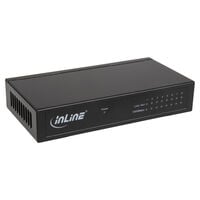
34,90 €
Incl. VAT, add. delivery costs


Network switches and hubs connect multiple devices within a wired network. Discover suitable solutions for PCs, consoles, smart TVs, access points, and other network devices.
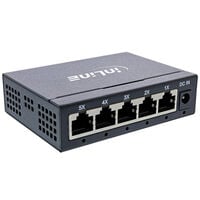
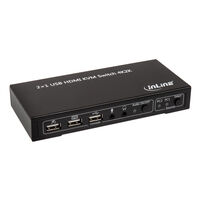
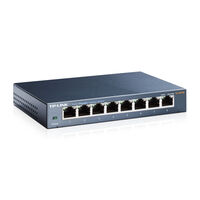
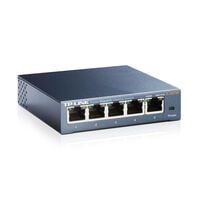
Whether for a gaming setup, home office, or small home network, switches and hubs allow you to connect multiple devices quickly and easily. They provide smooth data traffic and greater connectivity. While hubs act as simple distributors, switches offer targeted data forwarding, greater efficiency, and more control.
Both switches and network hubs connect multiple devices within a network, but they differ in how they forward data.
A hub sends incoming data to all connected devices. A switch works more selectively: it uses the MAC address to identify which connected device the data is intended for and forwards it only to the corresponding port. This manages network traffic more efficiently and reduces unnecessary data transmissions.
Check how many devices you want to connect via network cable. Depending on the model, 5, 8, 16, 24, or more ports may be available. If required, allow for additional ports for future expansion.
Pay attention to the supported network speed. Gigabit Ethernet with up to 1 Gbit/s is suitable for many home and office networks. Models with 2.5 Gbit/s or more are also available for higher data rates.
Consider what you want to use the switch or hub for. A compact model is often sufficient for a few devices in a home network, while larger networks, offices, or server environments may require more ports and additional features.
Unmanaged switches generally work without additional configuration. Managed switches offer advanced network management features, such as VLANs, QoS, or settings for individual ports.
PoE switches can provide compatible devices with data and power through the same network cable. This is useful for access points, IP cameras, or VoIP phones, for example.
In addition to standard RJ45 ports, check the other available connections. Depending on the model, SFP or SFP+ ports may also be included. There are also compact desktop devices and models designed for rack mounting.
A network switch connects multiple devices within a wired network. It identifies which connected device the data is intended for and forwards it specifically to the corresponding port.
A network hub connects multiple devices via Ethernet. Unlike a switch, a hub sends incoming data to all connected ports, regardless of which device the data is intended for.
A switch forwards data specifically to the intended device. A hub, on the other hand, sends incoming data to all connected devices. As a result, a switch can distribute available network traffic more efficiently.
Unmanaged switches generally work without additional configuration. Managed switches offer additional configuration options, such as VLANs, prioritisation of specific data traffic, or settings for individual ports.
This depends on how many devices you want to connect via network cable. For smaller networks, 5 or 8 ports may be sufficient. For larger networks, models with 16, 24, or more ports are available.
A Gigabit switch supports Ethernet connections of up to 1 Gbit/s per corresponding port. Multi-Gigabit switches with 2.5 Gbit/s or more are also available for higher data rates.
A PoE switch can provide compatible devices with both data and power through the same network cable. Power over Ethernet is useful for access points, IP cameras, or VoIP phones, for example.
Yes. A switch or hub can be connected to a LAN port on the router using a network cable. This provides additional Ethernet ports for PCs, consoles, smart TVs, and other network devices.
A switch does not increase the speed of your internet connection. However, it allows you to connect multiple devices via LAN and use the available network speed according to its technical specifications.