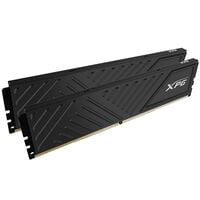
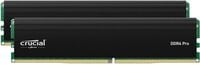
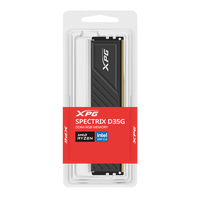
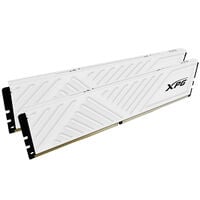
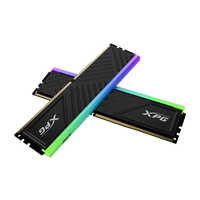
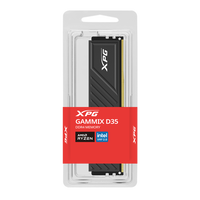
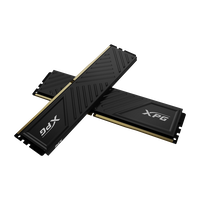
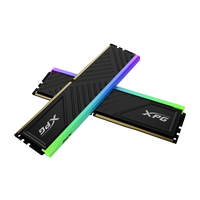
DDR4 RAM for gaming and office PCs. Discover RAM modules with 16 to 64 GB capacity, different speeds, and Intel XMP.
DDR4 Memory
DDR4 is a memory standard (Random Access Memory = RAM) specified by JEDEC. Compared with the newer DDR5 standard, it reaches lower speeds, but it remains a good alternative for gaming PCs with compatible LGA 1700 and AM4 CPUs.
Which CPUs and Motherboards Support DDR4 RAM?
| CPU Series |
Socket |
Typical Motherboard Chipsets |
| AMD Ryzen 1000 to Ryzen 5000 |
AM4 |
A320, B350, X370, B450, X470, A520, B550, X570 |
| 12th Gen Intel Core |
LGA 1700 |
H610, B660, H670, Z690 |
| 13th Gen Intel Core |
LGA 1700 |
H610, B660, H670, Z690, B760, H770, Z790 |
| 14th Gen Intel Core |
LGA 1700 |
B660, H670, Z690, B760, H770, Z790 |
Important: With 12th, 13th, and 14th Gen Intel Core processors, the specific motherboard determines whether DDR4 or DDR5 memory is used. Always check the motherboard's memory specifications before buying.
How Much Memory Do I Need?
The amount of memory you need depends on the application.
- Office and everyday use: 16 GB RAM
- Gaming: 16 to 32 GB RAM
- Gaming and multitasking: 32 GB RAM
- Content creation: 32 to 64 GB RAM
- Rendering and professional applications: 32 GB RAM or more
As a general rule, if you are unsure how much RAM you need, it is usually better to choose more. This gives you additional headroom when required.
Important Buying Criteria for DDR4 RAM
Memory Speed
For gaming, DDR4 kits with 3,200 or 3,600 MHz are often a good choice. DDR4-3200 corresponds to the highest official JEDEC standard, while DDR4-3600 is generally operated as memory overclocking via an XMP profile. The motherboard, processor, and RAM must all support the selected speed. Slower modules are usually sufficient for office applications.
Latency and Timings
In addition to memory speed, timings also affect RAM performance when gaming. At the same speed, the general rule is: the lower the CL value, the lower the latency. DDR4 kits with CL16 to CL18 often offer a good balance of performance, compatibility, and price. You can learn more about CAS timings in our blog.
Single Module or RAM Kit
For a gaming PC, a matched RAM kit consisting of two modules is generally recommended, for example 2 × 8 GB, 2 × 16 GB, or 2 × 32 GB. This enables dual-channel mode, which increases memory bandwidth. A single module can limit system performance.
Compatibility
DDR4 RAM must be compatible with the motherboard and processor in your gaming PC. Check the supported memory type, possible speeds, maximum capacity, and number of RAM slots. The motherboard manufacturer's memory compatibility list can provide additional guidance by listing tested RAM kits.
XMP and Memory Profiles
Many gaming RAM kits only reach their advertised speed after an XMP profile is enabled in the BIOS or UEFI. The profile contains preconfigured values for speed, timings, and voltage. For these settings to run stably, the motherboard, processor, and memory must support the selected configuration.
RGB, Heatspreaders & Module Height
RGB RAM can be visually matched to the rest of your gaming setup, while a heatspreader helps dissipate heat from the memory chips. Pay particular attention to module height when buying: tall RAM modules can interfere with large CPU air coolers. Check the available clearance and the cooler manufacturer's specifications in advance.
DDR4 Memory for Gaming in 2026
Intel Core and AM4 CPUs are still available to buy, and compatible DDR4 RAM kits remain a good option for gaming PCs in 2026. Depending on factors such as the game, resolution, and graphics presets, you will generally need 16 to 32 GB of RAM. For Full HD, 16 GB is often sufficient, while 32 GB can provide more headroom for WQHD. If you play in 4K, 32 GB is a requirement in many current games.
FAQ – DDR4 RAM
Can I Combine Different DDR4 RAM Modules?
Different DDR4 modules can generally be combined. However, for the most stable operation, modules with the same capacity, memory speed, and similar timings are recommended.
Can I Use DDR4 and DDR5 RAM at the Same Time?
No. DDR4 and DDR5 are technically different and are not compatible with each other. A motherboard supports either DDR4 or DDR5 memory.
What Happens If My DDR4 RAM Is Faster Than My System Supports?
If the processor or motherboard does not support the specified memory speed, the DDR4 RAM will generally run at a lower supported speed.
Can I Upgrade My Existing DDR4 RAM Later?
Yes, provided there are free RAM slots and the motherboard supports the additional memory capacity. Ideally, use RAM modules that are as similar or identical as possible.
Which RAM Slots Should I Use for DDR4 RAM?
When using two RAM modules, specific slots should usually be used to enable dual-channel mode. The correct slots are listed in your motherboard manual.
Can I Combine DDR4 RAM from Different Manufacturers?
This is generally possible, but it can lead to limitations in memory speed, timings, or stability. For the simplest configuration, a matched RAM kit is recommended.
Why Is My DDR4 RAM Running Slower Than Advertised?
DDR4 RAM often initially runs at a lower default speed. To reach the advertised speed, you may need to enable an XMP profile in the BIOS or UEFI.
Can I Use Four DDR4 RAM Modules at the Same Time?
Yes, if the motherboard has four RAM slots and supports the desired total capacity. Depending on the platform, lower memory speeds may be required when using four modules.
What Do MHz and MT/s Mean for DDR4 RAM?
DDR4 RAM speed is often listed in MHz in retail, for example 3,200 MHz or 3,600 MHz. Technically, MT/s (megatransfers per second) is the more accurate unit. DDR4-3200, for example, achieves a data rate of 3,200 MT/s at an actual memory clock of 1,600 MHz. Since MHz is widely used in product listings, it is often used as a simplified way of describing the effective RAM speed.
Do I Need to Change BIOS Settings After Installing DDR4 RAM?
Not necessarily. The memory is normally detected automatically. However, if you want to use an available XMP profile and therefore higher memory speeds, you may need to enable it in the BIOS or UEFI.