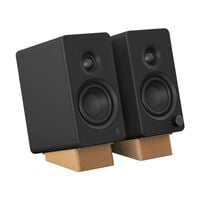
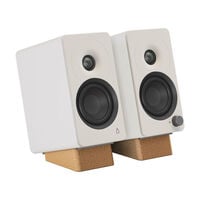
Whether you're gaming or listening to music, the right sound system can make your entire setup sound better.
Audio & Speakers for Your PC Setup
Get more out of games, music and movies with the right audio hardware. Speakers and sound systems handle audio playback, while sound cards and DACs process audio signals and can provide additional connections. Amplifiers deliver the power required for passive speakers or demanding headphones. Cables and adapters help ensure that all your components work together.
The Right Audio Hardware for Your Needs
| Category |
Suitable for |
| Sound Systems |
Complete setups with multiple speakers and, in some cases, a subwoofer for gaming, movies and music |
| Speakers |
Stereo or compact desktop solutions for PCs, laptops and other audio devices |
| Sound Cards |
Upgrading or expanding the audio inputs and outputs of a PC |
| Amplifiers & DACs |
High-quality signal conversion and amplification for headphones, speakers and demanding audio setups |
| Audio Accessories |
Cables, adapters and other accessories for connecting and expanding your audio setup |
Audio Hardware Connections and Compatibility
The connections you need depend on your existing audio setup and the devices you use. Depending on the product, connections can include USB-A, USB-C, 3.5 mm jack or optical audio. While many speakers can be connected directly to a PC via 3.5 mm jack, USB or USB-C, sound cards, DACs and amplifiers can provide additional inputs and outputs for headphones, microphones or speakers.
Before buying, check which connections your PC, laptop or other audio device provides and whether your chosen hardware supports them. You should also consider which connections you need for your existing speakers, headphones or other audio accessories. This ensures that the individual components can be connected without compatibility issues.
FAQ – Audio & Speakers
What Audio Hardware Do I Need for My PC Setup?
It depends on what you want to improve. Speakers and sound systems handle audio playback. Sound cards can provide additional connections and audio features. DACs convert digital audio signals into analogue signals, while amplifiers provide the power required for demanding headphones or passive speakers. Cables and adapters help you connect the individual components.
Are Speakers or a Sound System the Better Choice?
Compact speakers are particularly suitable for desktop setups, music and everyday PC use. A sound system with multiple speakers or a subwoofer can provide more powerful bass or more immersive sound, depending on the model, making it a suitable choice for gaming, movies and multimedia.
Which Connections Should My Audio Hardware Have?
Common connections include USB-A, USB-C, 3.5 mm jack, RCA and optical audio connections such as Toslink. Some devices also support Bluetooth. Before buying, check which connections are available on your PC, laptop or games console as well as your existing audio devices.
Can I Use Audio Hardware with a Laptop or Games Console?
Many speakers, sound systems, sound cards and DACs can also be used with laptops or games consoles. Compatibility depends on the available connections and the devices supported by the manufacturer. Check the product specifications for compatibility with your device and operating system before buying.
Can I Use Speakers and Headphones on the Same PC?
Yes, provided your PC or audio hardware has the required outputs. Depending on your sound card, DAC and operating system, you can switch between speakers and headphones. Simultaneous playback through both outputs is only possible if your hardware and audio settings support this function.