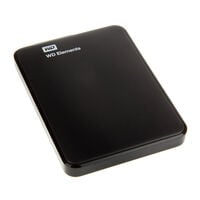
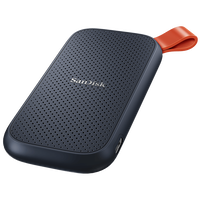
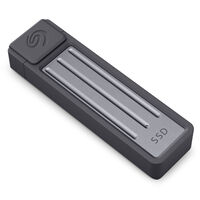
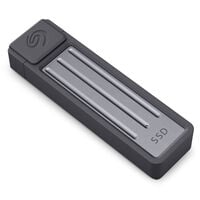
External hard drives are ideal for large files, backups, photos, and videos.
External Drives: HDDs and SSDs
External drives such as SSDs and HDDs are suitable for backing up data and providing additional storage for PCs and laptops. Depending on the model, they offer several terabytes of storage capacity. External drives are available as compact 2.5-inch models and larger 3.5-inch drives, among other formats. Transfer speed depends on the storage type and the supported USB standard.
External SSDs vs. External HDDs: What Is the Difference?
External HDDs
Hard Disk Drives offer more storage capacity for less money than SSDs. However, they are more sensitive to shocks and should be transported carefully. They also have slower data transfer speeds than SSDs.
External SSDs
Solid State Drives offer significantly higher transfer speeds than HDDs. They are less sensitive to shocks, but usually cost more per terabyte.
Which External Drive Is Right for Your Use Case?
The right external drive mainly depends on whether you need a large amount of storage capacity or high transfer speeds.
| Use Case |
Recommended Drive Type |
| Documents and Personal Files |
Portable HDD or SSD |
| Regular Backups |
External HDD |
| Archiving Photos and Videos |
External HDD |
| Photo and Video Editing |
External SSD |
| PC Gaming |
External SSD |
| Gaming on PlayStation or Xbox |
External SSD or HDD |
| Mobile Working and Travel |
Portable SSD |
| Confidential and Sensitive Data |
HDD or SSD with Encryption |
External 2.5-Inch and 3.5-Inch Drives
2.5-inch drives are compact and are often powered directly via the USB connection. This makes them particularly suitable for laptops, travel, and portable data storage.
External 3.5-inch drives usually offer higher capacities and are primarily designed for backups or large desktop data archives. Many models require a separate power adapter.
How Much Storage Do I Need?
The right capacity depends on the type of data you want to store. For documents and smaller photo collections, 1 to 2 TB may be sufficient. For regular backups, larger game libraries, or extensive photo and video files, 4 TB or more can be useful. For long-term archives, you should also allow additional free capacity for future data.
FAQ – External Drives
Which Is Better: an External HDD or an External SSD?
An external HDD offers a large amount of storage at a comparatively low price and is particularly suitable for backups and data archives. An external SSD is faster, more compact, and less sensitive to shocks.
Which External Drive Is Suitable for Backups?
For regular backups, an external HDD is often a good choice because it offers plenty of storage capacity at a relatively low price. An SSD is worthwhile if you want backups to complete particularly quickly or if the drive is transported frequently.
Does an External Drive Need Its Own Power Adapter?
Portable 2.5-inch drives and external SSDs are often powered directly via USB. Larger 3.5-inch drives, on the other hand, generally require a separate power adapter. Check the power requirements before purchasing.
Are External Drives with USB-C Faster Than Models with USB-A?
Not necessarily. USB-A and USB-C primarily refer to the shape of the connector. Speed depends on the supported USB standard, the performance of the drive, and the connection on the computer or console.
How Fast Is an External Drive over USB?
Actual transfer speed depends on the type of drive and the USB standard. External SSDs can take much better advantage of fast USB connections than HDDs, whose performance is limited by their mechanical design.
Can I Use an External Drive with a PC, Laptop, and Console?
Many external drives can generally be used with PCs, laptops, and consoles. Depending on the device, however, suitable formatting may be required. PlayStation and Xbox also have different requirements for storing and running games.