


AI PCs for Developers
Ollama, Qwen, LM Studio, PyTorch, TensorFlow, Docker, WSL and virtual machines: AI PCs for developers provide the performance needed for local LLMs, coding assistants, machine learning projects, data science workflows and AI prototyping directly within your development environment.
1 Results
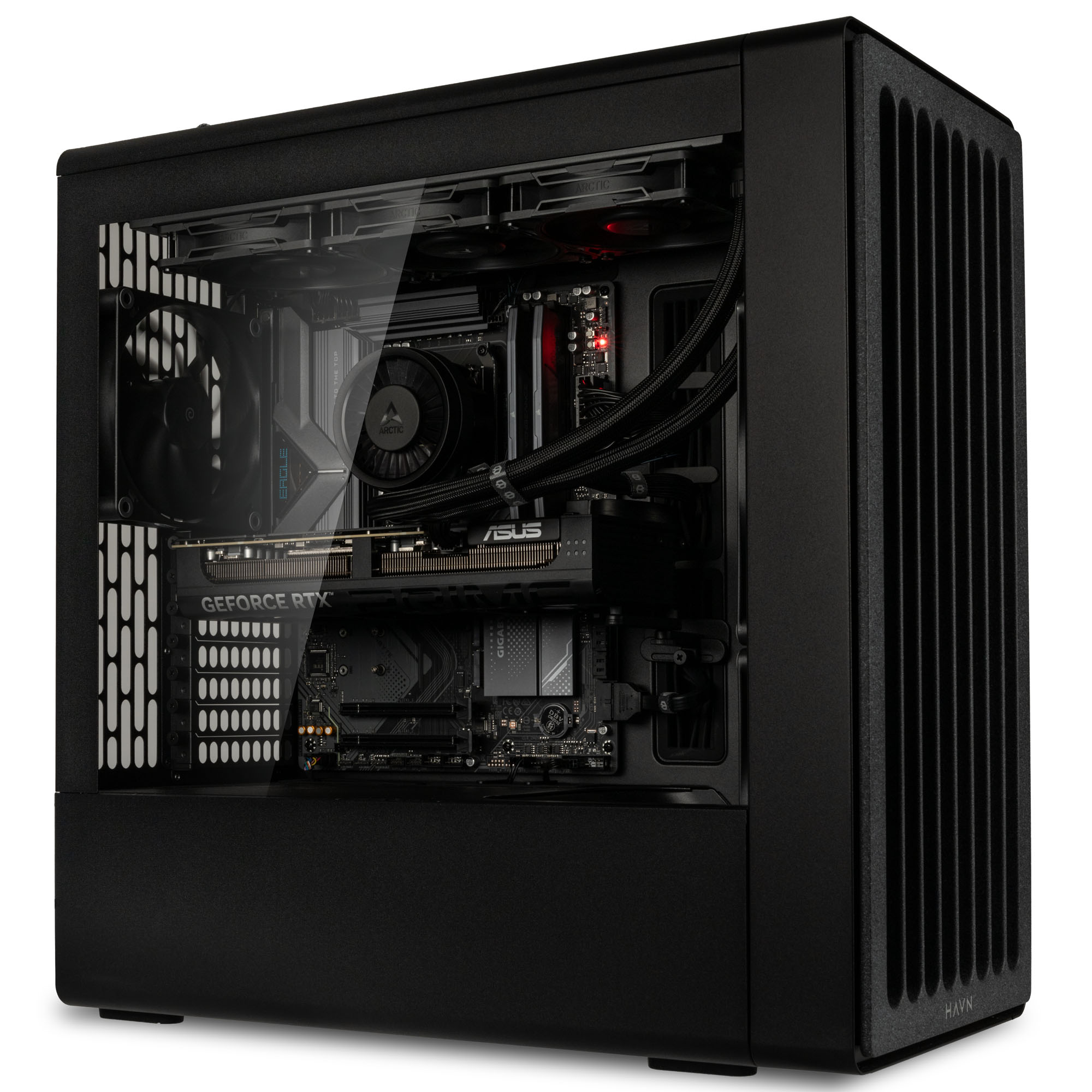
KI-PCs für Entwickler: Coding und Prototyping mit lokaler AI
KI-PCs für Entwickler bringen lokale KI direkt auf deinen Schreibtisch: für Coding-Assistenten, lokale LLMs, RAG-Tests, Machine Learning, Data Science, Docker, virtuelle Maschinen und schnelle Build-Prozesse. Mit starker GPU, viel VRAM, schneller Mehrkern-CPU, ausreichend RAM und NVMe-SSD arbeitest du unabhängig von Cloud-Warteschlangen und behältst Code, Modelle und Projektdaten besser unter Kontrolle.
| Segment | Geeignet für | Empfohlene Ausstattung |
|---|---|---|
| Developer Basic | Coding, Docker, kleine lokale Modelle | starke CPU, 32 GB RAM, schnelle NVMe-SSD, GPU mit 12 GB VRAM |
| Local LLM Ready | Ollama, LM Studio, Code-LLMs, RAG-Tests | 16 GB VRAM oder mehr, 32–64 GB RAM, 2 TB NVMe |
| ML & Data Science Pro | PyTorch, TensorFlow, Inferenz, größere Datensätze | starke RTX-GPU, 24 GB VRAM oder mehr, 64 GB RAM |
| AI Workstation | große Modelle, parallele VMs, Dauerlast, Prototyping | High-End-GPU, 32 GB VRAM, 64–128 GB RAM, starke Kühlung |
Welchen KI-PC brauche ich für bestimmte Entwickler-Workflows?
KI-Entwicklung & Prototyping
Bei Python-Projekten, PyTorch, TensorFlow, Jupyter Notebooks und Machine-Learning-Prototypen sind vor allem GPU-Leistung, ausreichend VRAM, eine aktuelle Mehrkern-CPU und schneller SSD-Speicher wichtig. So lassen sich Modelle lokal testen, Trainingsläufe durchführen und Entwicklungszyklen beschleunigen.
Lokale LLMs & AI-Assistenten
Für lokale Chatbots, Coding-Assistenten, RAG-Projekte und Modell-Inferenz sind viel VRAM, ausreichend Arbeitsspeicher und schnelle SSDs entscheidend. Das gilt insbesondere für die Arbeit mit Ollama, LM Studio, llama.cpp und anderen Tools zum lokalen Betrieb großer Sprachmodelle.
Softwareentwicklung & Build-Prozesse
Für IDEs, Compiler, Docker, lokale Builds, automatisierte Test-Suites sowie Entwicklungsumgebungen mit WSL2 und Linux kommt es vor allem auf CPU-Leistung, RAM und schnelle Massenspeicher an. Das sorgt für kurze Build-Zeiten und flüssiges Multitasking.
Container, VMs & DevOps
Docker-Container, Kubernetes-Cluster, virtuelle Maschinen und lokale Staging-Umgebungen profitieren von vielen CPU-Kernen, viel Arbeitsspeicher und schnellen NVMe-SSDs. Gerade bei mehreren parallelen Workloads bleibt das System dadurch reaktionsschnell.
Data Science & Analyse
Für Datenaufbereitung, Machine Learning, Visualisierung und die Arbeit mit lokalen Datensätzen profitieren Entwickler von viel RAM, einer leistungsfähigen CPU und – je nach Projekt – zusätzlicher GPU-Beschleunigung.
Game Development & 3D-Engines
Unreal Engine, Unity, Shader-Compiling und KI-gestützte Entwicklungswerkzeuge stellen hohe Anforderungen an Grafikkarte, Arbeitsspeicher und Kühlung. Eine leistungsstarke GPU sorgt dabei für flüssigere Workflows und kürzere Wartezeiten.
Tipp: Wähle deinen KI-PC nach deinem anspruchsvollsten Workflow aus.
Welche lokalen KI-Modelle eignen sich am besten für Entwickler?
Für Entwickler sind vor allem diese KI-Modelle, Frameworks und Tools relevant:
- Code-LLMs: Qwen Coder, DeepSeek Coder oder Code Llama für Codegenerierung, Analyse, Refactoring und Debugging.
- Lokale LLMs: Llama, Mistral, Qwen oder DeepSeek für Chatbots, Skripte, Zusammenfassungen und RAG-Tests, lokal nutzbar etwa mit Ollama, LM Studio oder llama.cpp.
- ML- und Deep-Learning-Frameworks: PyTorch, TensorFlow oder Scikit-learn für Machine-Learning-Prototypen, kleinere Deep-Learning-Tests, Training, Inferenz und Data Science.
- Dev-Tools: Docker, virtuelle Maschinen, IDEs und lokale Testumgebungen für produktive Entwicklungs-Workflows.
Die Vorteile eines KI-PCs für lokale künstliche Intelligenz
Ein KI-PC für Entwickler schafft die Grundlage für lokale KI, Coding-Assistenten, Docker, VMs und anspruchsvolle Entwicklungs-Workflows. Code, Modelle und Projektdaten bleiben besser kontrollierbar, während parallele Tools flüssiger laufen. Da Desktop-Systeme gut erweiterbar sind, lassen sich RAM, SSD-Speicher oder Grafikkarte bei wachsenden Anforderungen später leichter aufrüsten.
Welche Hardware ist wichtig für einen KI-PC für Programmierer?
RAM für Multitasking
Viel RAM sorgt dafür, dass IDEs, Browser, Docker, virtuelle Maschinen, lokale Datenbanken und KI-Tools gleichzeitig stabil laufen.
CPU
Eine aktuelle Mehrkern-CPU beschleunigt Builds, Tests, Container, virtuelle Maschinen und parallele Entwicklungsprozesse.
GPU und VRAM
Grafikkarte und VRAM entscheiden maßgeblich darüber, wie flüssig lokale KI-Modelle, Inferenz-Workflows und ML-Frameworks auf dem Entwickler-PC laufen.
Zudem ist eine schnelle NVMe-SSD sinnvoll, da sie Ladezeiten für Projekte, Container, lokale Modelle, Datenbanken und Entwicklungsumgebungen verkürzt.
Machine Learning und Deep Learning lokal testen
Für Machine-Learning-Prototypen, kleinere Deep-Learning-Tests und lokale Inferenz profitieren Entwickler von GPU-Beschleunigung, ausreichend VRAM und viel RAM. Frameworks wie PyTorch, TensorFlow und Scikit-learn lassen sich lokal nutzen, um Modelle zu testen, Daten vorzubereiten und KI-Workflows ohne Cloud-Abhängigkeit zu entwickeln.
NPU, TOPS oder Grafikkarte: Was zählt bei KI-PCs für Entwickler?
Eine NPU kann bestimmte KI-Funktionen besonders effizient beschleunigen und ist vor allem bei modernen AI-Notebooks und Copilot+-PCs ein relevantes Feature. Für lokale LLMs, Machine Learning, PyTorch, TensorFlow, RAG-Tests und Inferenz-Workflows ist bei Desktop-PCs jedoch meist die dedizierte Grafikkarte wichtiger. Entscheidend sind vor allem GPU-Leistung, VRAM, Speicherbandbreite und ausreichend RAM.
Für lokale KI-Modelle, KI-Bildgenerierung, Content Creation und Softwareentwicklung profitierst du bei Caseking von unserer langjährigen Erfahrung in der Konfiguration und dem Bau leistungsstarker PC-Systeme. Jeder KI-PC wird von unseren Experten sorgfältig montiert, geprüft und vor dem Versand getestet.
- Langjährige Erfahrung im Bau und der Konfiguration leistungsstarker PC-Systeme
- Sorgfältige Montage, Qualitätskontrolle und Funktionstest vor dem Versand
- 36 Monate King Mod Garantie inklusive Pickup & Return Service
- Individuelle Hardware-Anpassungen und Sonderkonfigurationen möglich
- Leistungsstarke Systeme für lokale KI-Anwendungen, Content Creation und Entwicklung
Du benötigst mehr Arbeitsspeicher, eine andere Grafikkarte oder eine individuelle Anpassung für deinen Workflow? Kontaktiere uns einfach unter [email protected] – wir prüfen gerne die Möglichkeiten für dein System.
FAQ – KI-PCs für Entwickler
Für welche Entwickler lohnt sich ein KI-PC?
Ein KI-PC lohnt sich für Entwickler, die lokale LLMs, Coding-Assistenten, Machine-Learning-Frameworks, Docker, virtuelle Maschinen oder Data-Science-Workflows nutzen. Besonders sinnvoll ist er, wenn KI-Tools und Entwicklungsumgebungen parallel lokal laufen sollen.
Was bringt ein KI-PC bei der Softwareentwicklung?
Ein KI-PC kann Entwicklungs-Workflows durch mehr Leistung für Builds, Tests, Container, lokale KI-Assistenten und parallele Tools beschleunigen. Entwickler profitieren von schnellerem Multitasking, kürzeren Wartezeiten und mehr Reserven für komplexe Projekte.
Welche Vorteile bietet ein KI-PC für lokale LLMs?
Ein KI-PC kann lokale LLMs direkt auf dem eigenen System ausführen. Dadurch lassen sich Chatbots, Coding-Assistenten, Code-Analyse, Zusammenfassungen oder RAG-Tests lokal nutzen, ohne jeden Workflow über Cloud-Dienste auszulagern.
Wie viel VRAM brauche ich für lokale LLMs?
Für erste Tests mit lokalen LLMs können 12 GB VRAM ein Einstieg sein. Für anspruchsvollere Modelle, längere Kontexte und flüssigere Workflows sind 16 GB VRAM oder mehr empfehlenswert. Der tatsächliche Bedarf hängt von Modellgröße, Quantisierung und eingesetztem Tool ab.
Warum ist die Grafikkarte für Entwickler wichtig?
Die Grafikkarte ist wichtig, wenn Entwickler lokale KI-Modelle, Inferenz, Machine Learning, Data Science oder GPU-beschleunigte Frameworks nutzen. Besonders der VRAM entscheidet, wie gut größere Modelle und KI-Workflows lokal laufen.
Wie viel RAM brauchen Entwickler für KI-Workflows?
Für Entwickler sind 32 GB RAM eine sinnvolle Basis. Wer lokale LLMs, Docker, virtuelle Maschinen, Data Science oder mehrere Entwicklungsumgebungen parallel nutzt, profitiert von 64 GB RAM oder mehr. Viel RAM sorgt dafür, dass Tools, Container, Datenbanken und KI-Anwendungen stabil nebeneinander laufen.
Welche KI-Modelle und Tools können Entwickler lokal nutzen?
Entwickler können lokale Code-LLMs, Chatbots, RAG-Workflows, PyTorch, TensorFlow, Scikit-learn, Docker, virtuelle Maschinen und Coding-Assistenten nutzen. Je nach Modell und Tool werden vor allem GPU-Leistung, VRAM, RAM und schneller SSD-Speicher benötigt.
Ist ein KI-PC für WSL, Linux und CUDA geeignet?
Ja, die meisten KI-PCs eignen sich für WSL, Linux und CUDA. Für KI-Entwicklung, Machine Learning und lokale LLMs sind NVIDIA-Grafikkarten mit CUDA-Unterstützung besonders verbreitet.
Ist ein KI-PC für Docker, VMs und DevOps sinnvoll?
Ein KI-PC ist für Docker, virtuelle Maschinen und DevOps sinnvoll, wenn mehrere Container, lokale Testumgebungen, Staging-Setups oder Build-Prozesse parallel laufen. Viele CPU-Kerne, viel RAM und eine schnelle NVMe-SSD sorgen dabei für flüssigeres Arbeiten.
Reicht ein Gaming-PC als KI-PC für Entwickler?
Ja, moderne Gaming-PCs eignen sich für viele KI-Workflows wie lokale LLMs, Machine Learning, Coding-Assistenten und Bild-KI. Für größere Modelle oder professionelle Dauerlast sind jedoch mehr VRAM und Arbeitsspeicher von Vorteil.
Worauf sollten Entwickler beim Kauf eines KI-PCs achten?
Entwickler sollten auf eine starke GPU mit ausreichend VRAM, eine aktuelle Mehrkern-CPU, mindestens 32 GB RAM, eine schnelle NVMe-SSD und stabile Kühlung achten. Entscheidend ist, dass der KI-PC zum Workflow passt: lokale LLMs, Coding, Data Science, Container, VMs oder Machine Learning.
AI PCs for Developers: Coding and Prototyping with Local AI
AI PCs for developers bring local AI directly to your desk: for coding assistants, local LLMs, RAG testing, machine learning, data science, Docker, virtual machines and fast build processes. With a powerful GPU, ample VRAM, a fast multi-core CPU, sufficient RAM and NVMe SSD storage, you can work independently of cloud queues while maintaining greater control over your code, models and project data.
| Segment | Suitable For | Recommended Configuration |
|---|---|---|
| Developer Basic | Coding, Docker, small local models | Powerful CPU, 32 GB RAM, fast NVMe SSD, GPU with 12 GB VRAM |
| Local LLM Ready | Ollama, LM Studio, code LLMs, RAG testing | 16 GB VRAM or more, 32–64 GB RAM, 2 TB NVMe SSD |
| ML & Data Science Pro | PyTorch, TensorFlow, inference, larger datasets | High-performance RTX GPU, 24 GB VRAM or more, 64 GB RAM |
| AI Workstation | Large models, parallel VMs, sustained workloads and prototyping | High-end GPU, 32 GB VRAM, 64–128 GB RAM and advanced cooling |
Which AI PC Do I Need for Specific Development Workflows?
AI Development & Prototyping
For Python projects, PyTorch, TensorFlow, Jupyter notebooks and machine learning prototypes, GPU performance, sufficient VRAM, a modern multi-core CPU and fast SSD storage are particularly important. This allows you to test models locally, run training workloads and accelerate development cycles.
Local LLMs & AI Assistants
For local chatbots, coding assistants, RAG projects and model inference, ample VRAM, sufficient system memory and fast SSDs are essential. This is especially true when working with Ollama, LM Studio, llama.cpp and other tools used to run large language models locally.
Software Development & Build Processes
For IDEs, compilers, Docker, local builds, automated test suites and development environments based on WSL2 and Linux, CPU performance, memory capacity and fast storage are the key factors. This results in shorter build times and smoother multitasking.
Containers, VMs & DevOps
Docker containers, Kubernetes clusters, virtual machines and local staging environments benefit from many CPU cores, large amounts of memory and fast NVMe SSDs. This helps keep the system responsive even when running multiple workloads in parallel.
Data Science & Analytics
For data preparation, machine learning, visualisation and working with local datasets, developers benefit from large memory capacity, a powerful CPU and, depending on the project, additional GPU acceleration.
Game Development & 3D Engines
Unreal Engine, Unity, shader compilation and AI-powered development tools place high demands on graphics performance, memory capacity and cooling. A powerful GPU helps create smoother workflows and shorter waiting times.
Which Developers Benefit from an AI PC?
An AI PC is ideal for developers who use local LLMs, coding assistants, machine learning frameworks, Docker, virtual machines or data science workflows. It is especially valuable when AI tools and development environments need to run locally in parallel.
How Does an AI PC Improve Software Development?
An AI PC can accelerate development workflows by providing more performance for builds, testing, containers, local AI assistants and parallel tools. Developers benefit from smoother multitasking, shorter waiting times and more headroom for complex projects.
What Are the Benefits of an AI PC for Local LLMs?
An AI PC can run local LLMs directly on your own system. This allows chatbots, coding assistants, code analysis, summarisation and RAG testing to run locally without outsourcing every workflow to cloud services.
How Much VRAM Do I Need for Local LLMs?
For initial experiments with local LLMs, 12 GB of VRAM can be a reasonable starting point. For more demanding models, longer context windows and smoother workflows, 16 GB of VRAM or more is recommended. Actual requirements depend on model size, quantisation and the software being used.
Why Is the Graphics Card Important for Developers?
The graphics card is essential when developers work with local AI models, inference workloads, machine learning, data science or GPU-accelerated frameworks. VRAM capacity in particular determines how effectively larger models and AI workflows can run locally.
How Much RAM Do Developers Need for AI Workflows?
For developers, 32 GB of RAM is a solid foundation. Anyone running local LLMs, Docker, virtual machines, data science tools or multiple development environments simultaneously will benefit from 64 GB of RAM or more. Ample memory ensures that tools, containers, databases and AI applications run smoothly side by side.
Which AI Models and Tools Can Developers Run Locally?
Developers can use local code LLMs, chatbots, RAG workflows, PyTorch, TensorFlow, Scikit-learn, Docker, virtual machines and coding assistants. Depending on the model and tool, GPU performance, VRAM, RAM and fast SSD storage are the most important resources.
Is an AI PC Suitable for WSL, Linux and CUDA?
Yes, most AI PCs are well suited for WSL, Linux and CUDA. For AI development, machine learning and local LLMs, NVIDIA graphics cards with CUDA support remain particularly popular.
Is an AI PC a Good Choice for Docker, Virtual Machines and DevOps?
An AI PC is highly beneficial for Docker, virtual machines and DevOps workflows when multiple containers, local test environments, staging setups or build processes run simultaneously. A high-core-count CPU, ample RAM and a fast NVMe SSD help ensure a smoother experience.
Is a Gaming PC Sufficient as an AI PC for Developers?
Yes, modern gaming PCs are suitable for many AI workflows such as local LLMs, machine learning, coding assistants and AI image generation. However, larger models and professional sustained workloads benefit significantly from additional VRAM and system memory.
What Should Developers Look for When Buying an AI PC?
Developers should look for a powerful GPU with sufficient VRAM, a modern multi-core CPU, at least 32 GB of RAM, a fast NVMe SSD and reliable cooling. Most importantly, the AI PC should match the intended workflow, whether that is local LLMs, coding, data science, containers, virtual machines or machine learning.