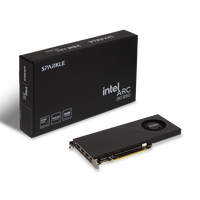
Intel Arc Pro Graphics Cards for Workstations
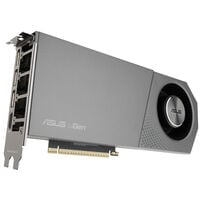
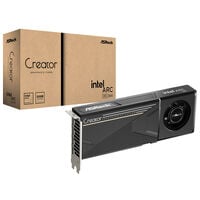
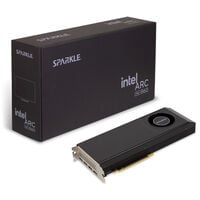
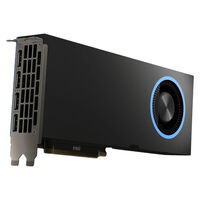
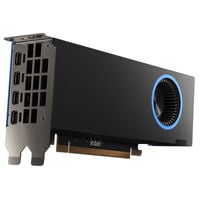
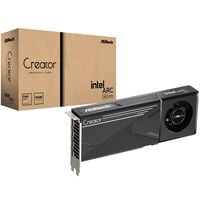
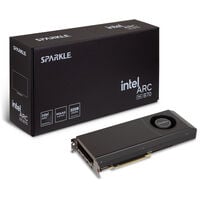
Intel Arc Pro graphics cards were developed for professional workstations and demanding workflows. They offer high graphics performance for CAD, 3D rendering, visualisation, content creation, video editing, and AI applications. Thanks to dedicated drivers, the latest Intel Xe architecture, and powerful graphics memory, Intel Arc Pro GPUs are suitable for businesses, developers, and creatives who depend on reliability and performance.
Which Intel Arc Pro Graphics Card Is Right for You?
| Model |
Ideal For |
Graphics Memory |
Recommended Applications |
| Intel Arc Pro B50 |
Entry-level professional workstations |
16 GB GDDR6 |
CAD, technical design, image editing, smaller 3D projects, Full HD and 4K video editing, and local AI inference |
| Intel Arc Pro B60 |
Professional all-round workstation |
24 GB GDDR6 |
Complex CAD projects, 3D modelling, GPU rendering, content creation, video editing, visualisation, and larger AI models |
| Intel Arc Pro B65 |
Memory-intensive professional workloads |
32 GB GDDR6 |
Large datasets, digital twins, scientific visualisation, GPU rendering, local LLMs, AI inference, and machine-learning workflows |
| Intel Arc Pro B70 |
Maximum performance in the Intel Arc Pro series |
32 GB GDDR6 |
Demanding CAD and CAE applications, rendering, simulations, complex visualisation, local AI, large LLMs, and professional multi-GPU workflows |
Intel Arc Pro B60 or B65?
The Intel Arc Pro B60 and B65 offer the same number of Xe Cores and XMX Engines. The key difference is the graphics memory: the B60 features 24 GB GDDR6, while the B65 offers 32 GB GDDR6 and higher memory bandwidth. This makes the B65 particularly suitable for large scenes, extensive datasets, and AI models with high memory requirements.
The Benefits of Intel Arc Pro Graphics Cards
For Professional Workflows
Intel Arc Pro graphics cards were developed for professional applications such as CAD, 3D modelling, rendering, visualisation, and content creation. Professional drivers ensure reliable operation in everyday work.
Local AI Acceleration
Thanks to Intel XMX AI Engines, Intel Arc Pro GPUs are suitable for local AI applications such as LLMs, image generation, AI inference, and machine-learning workflows – without any cloud connection.
Video Engine
Hardware-accelerated AV1 encoding and decoding, along with support for current codecs, accelerates video editing, streaming, and media production in professional applications.
Large Graphics Memory
Depending on the model, Intel Arc Pro graphics cards offer up to 32 GB of GDDR6 memory. This allows large datasets, high-resolution scenes, and demanding AI models to be processed efficiently.
Technical Specifications of Intel Arc Pro Models
| Feature |
Intel Arc Pro B50 |
Intel Arc Pro B60 |
Intel Arc Pro B65 |
Intel Arc Pro B70 |
| Architecture |
Intel Xe2 (Battlemage) |
| Xe Cores |
16 |
20 |
20 |
32 |
| Ray Tracing Units |
16 |
20 |
20 |
32 |
| XMX AI Engines |
128 |
160 |
160 |
256 |
| Graphics Memory |
16 GB GDDR6 |
24 GB GDDR6 |
32 GB GDDR6 |
32 GB GDDR6 |
| Memory Interface |
128-bit |
192-bit |
256-bit |
256-bit |
| Memory Bandwidth |
224 GB/s |
456 GB/s |
608 GB/s |
608 GB/s |
| GPU Peak AI (INT8) |
170 TOPS |
197 TOPS |
197 TOPS |
367 TOPS |
| Max. Displays |
Up to 4 displays |
| Video Codecs |
AV1, H.264, HEVC/H.265, and VP9 (encoding and decoding) |
| PCI Express |
PCIe 5.0 x8 |
PCIe 5.0 x8 |
PCIe 5.0 x16 |
PCIe 5.0 x16 |
Multiple Intel Arc Pro GPUs for Local AI
Selected Intel Arc Pro models support scalable multi-GPU configurations under Linux. This allows the compute resources and available graphics memory of multiple GPUs to be used for compatible AI and compute applications. However, whether a model or framework actually scales across multiple graphics cards depends on the software used and its configuration.
Professional Drivers and ISV Certifications
Intel Arc Pro graphics cards use optimised drivers for professional applications. Depending on the model, ISV certifications are available for selected CAD, design, and creative applications. Regular driver updates improve stability, compatibility, and support for new software versions.
Difference Between Intel Arc and Intel Arc Pro
Intel Arc Pro graphics cards were developed specifically for professional workstations, while Intel Arc graphics cards are primarily aimed at gamers and content creators. Unlike the gaming models, Intel Arc Pro focuses on stability, reliability, and drivers optimised for professional applications. This makes Intel Arc Pro GPUs particularly suitable for CAD, 3D rendering, visualisation, video editing, and AI workloads where reliable operation over extended periods is essential.
FAQ – Intel Arc Pro Graphics Cards
What Is the Difference Between Intel Arc and Intel Arc Pro Graphics Cards?
Intel Arc graphics cards were developed mainly for gaming and content creation. Intel Arc Pro models are aimed at professional workstations and offer drivers optimised for professional applications as well as high reliability.
Which Applications Are Intel Arc Pro Graphics Cards Suitable For?
Intel Arc Pro graphics cards are suitable for CAD, 3D modelling, rendering, visualisation, video editing, content creation, as well as local AI applications and machine-learning workloads.
Is Every CAD and AI Application Compatible with Intel Arc Pro?
No, support depends on the respective application, operating system, driver, and programming interface used. Before purchasing, check the system requirements and the list of supported or certified hardware for your software. This is particularly important for applications and extensions that exclusively support CUDA.
Do Intel Arc Pro Graphics Cards Support AI Applications?
Yes. Intel Arc Pro GPUs feature Intel XMX AI Engines and support local AI applications such as LLMs, image generation, AI inference, and other AI workloads.
Can I Also Play Games with an Intel Arc Pro Graphics Card?
In principle, yes. Intel Arc Pro graphics cards support modern games and graphics APIs. However, their focus is on professional applications and workstations, which is why gaming graphics cards from the Intel Arc series are usually the better choice for gamers.
How Much Graphics Memory Do I Need for Professional Applications?
For many CAD and content creation applications, 16 GB of graphics memory is sufficient. Demanding 3D projects, high-resolution visualisations, or AI models benefit from 24 GB or 32 GB of GDDR6 VRAM.
Which CPUs Are Suitable for Intel Arc Pro Graphics Cards?
Intel Arc Pro graphics cards can be combined with current Intel Core Ultra, Intel Xeon, AMD Ryzen, and AMD Threadripper processors. A powerful CPU with many cores is recommended for professional workstations.
Which Power Supply Do I Need for an Intel Arc Pro Graphics Card?
The power supply you need depends on the respective Intel Arc Pro model, the remaining hardware, and the board partner design. In addition to the recommended power supply wattage, pay attention to the required power connectors. The Intel Arc Pro B50 is powered through the PCIe slot and does not require an additional power connector. More powerful models may require additional PCIe power connectors. The information on the respective product page is therefore always decisive.
Do Intel Arc Pro Graphics Cards Support Multiple Monitors?
Yes. Intel Arc Pro graphics cards support the simultaneous use of multiple displays, making them ideal for large workspaces in CAD, video editing, financial applications, or software development.