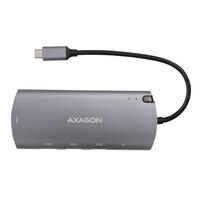
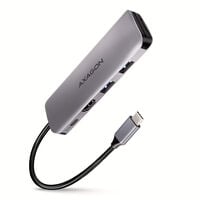
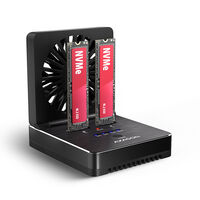
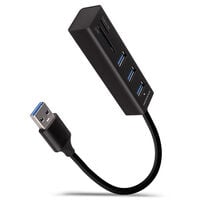
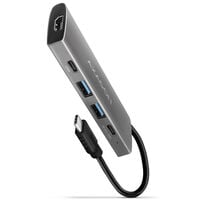
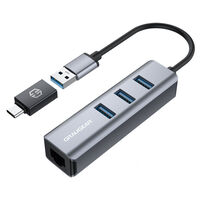
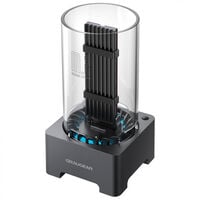
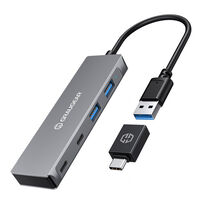
Docking stations expand PCs and laptops with additional connections for USB devices, monitors, networking, and other peripherals.
Docking Stations for PCs and Laptops
Whether you need additional USB ports or want to transfer data easily from an M.2 SSD to another device, docking stations provide a practical solution. Here you can find models with USB-A and USB-C ports as well as LAN connections, plus convenient plug-and-play docking stations for M.2 SSDs with cloning functionality.
Which Docking Station Is Right for Your Use Case?
| Type |
Suitable For |
| USB-C Docking Stations |
Laptops and devices with USB-C; depending on the model, for monitors, USB devices, networking, and Power Delivery |
| USB-A Docking Stations |
Systems with a USB-A connection, primarily for adding extra USB and peripheral ports |
| Multiport Docking Stations |
Workstations with many devices and different connections such as USB, HDMI, DisplayPort, LAN, or card readers |
| M.2 Docking Stations |
External access to M.2 SSDs, data transfers, drive swapping, and, depending on the model, cloning functions |
What Should You Consider When Buying a Docking Station?
Connections
Depending on the model, different interfaces are available. Before buying, consider which connections you need.
Data Transfer Speed
If you want to transfer data from one device to another, it is worth checking the maximum supported speed before buying. Data transfer speed depends, among other things, on the USB version.
Monitor Support
If you want to connect monitors, check the number of HDMI and DisplayPort connections on the docking station as well as the supported resolutions and refresh rates.
Power Delivery
Some docking stations feature Power Delivery, allowing you to power and charge compatible laptops. Check the supported charging power of both the docking station and the laptop.
FAQ – Docking Stations
Does Every Docking Station Work with Every Laptop or PC?
No. Which functions can be used depends on the ports and standards supported by the PC or laptop. Always check compatibility with your device before buying.
What Is the Difference Between a Docking Station and a USB Hub?
A USB hub mainly increases the number of available USB ports. Depending on the model, a docking station can additionally provide connections for monitors, networking, memory cards, or Power Delivery.
Do I Need Additional Drivers for a Docking Station?
Many docking stations are detected automatically and can be used straight away. However, certain functions or models may require additional drivers or software.
Can I Use Multiple Monitors with a Docking Station at the Same Time?
This depends on the docking station and your computer. Check how many displays, resolutions, and refresh rates are supported by both devices.
How Does the Cloning Function of an SSD or M.2 Docking Station Work?
On suitably equipped models, the data from one drive can be copied directly to a second drive. How the cloning process is started and which drives are supported depends on the respective model.
Can I Use NVMe and SATA M.2 SSDs with the Same Docking Station?
Only if the docking station explicitly supports both SSD standards. Before buying, check whether the respective model is suitable for NVMe, SATA, or both types of M.2 SSDs.