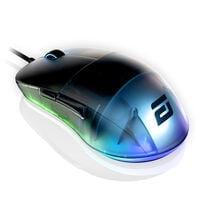
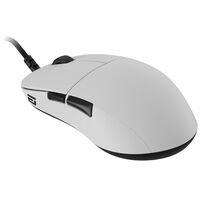
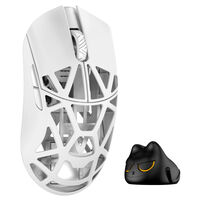
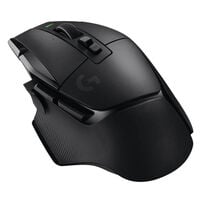
Gaming Mice for FPS, MOBA, MMO and More
Whether you're playing competitive FPS matches or enjoying casual gaming sessions, the right gaming mouse should suit your playstyle. The main differences lie in sensors, weight, mouse shape and additional features. Here you'll find gaming mice for various requirements, from fast-paced esports shooters to complex MMORPGs.
Which Features Are Important in a Gaming Mouse?
When buying a gaming mouse, you should consider several important features:
- Sensors: Modern gaming mice are equipped with optical, mechanical and magnetic sensors. These offer high accuracy across a wide range of surfaces.
- DPI settings: DPI indicates how sensitively the mouse responds to movement. Many gaming mice offer individually adjustable DPI levels, allowing you to tailor the sensitivity to your playstyle. Controlled and consistent mouse movement is particularly important in FPS shooters. However, higher DPI values do not automatically mean greater precision.
- Programmable buttons: Additional buttons on a gaming mouse can be programmed for specific functions, such as executing complex commands or macros, giving you a strategic advantage in games.
- Polling rate: The polling rate indicates how often a gaming mouse transmits its position data to the PC. Models with 1,000 Hz theoretically send new data every 1 ms, while gaming mice with 4,000 Hz or 8,000 Hz enable shorter polling intervals. A high polling rate can be particularly beneficial in competitive FPS games.
- Customisation options: Many gaming mice come with software that allows you to customise button functions, lighting and performance settings according to your preferences.
- Ergonomic design: Comfort is essential during long gaming sessions. Gaming mice feature ergonomic shapes designed to reduce strain and provide a comfortable grip.
What Makes a Good Gaming Mouse Sensor?
A good gaming mouse sensor reliably tracks even fast and sudden movements, translating them into precise cursor movements. Consistent tracking is particularly important in FPS shooters such as Counter-Strike 2 or Valorant, ensuring that quick flick shots and small adjustments are registered accurately.
Alongside DPI settings, other important factors include tracking speed (IPS), maximum acceleration (G) and lift-off distance (LOD). A low LOD, for example, can prevent unwanted cursor movement when lifting and repositioning the mouse. However, high DPI values alone do not make a sensor better. What matters is that mouse movements are tracked reliably, even at high speeds, without unwanted deviations.
Which Gaming Mouse Is Suitable for FPS, MMO and Other Games?
The requirements for a gaming mouse vary depending on the game genre. While a precise sensor and low weight can be beneficial in FPS shooters, additional programmable buttons are particularly useful in MMORPGs.
| Game Genre |
Recommended Features |
Gaming Benefits |
| FPS Shooters |
Precise sensor, low weight, low click latency |
Fast flick shots, controlled movements and precise aiming |
| MMORPGs |
Multiple programmable side buttons, macros and profiles |
Quick access to abilities, items and custom button assignments |
| MOBA |
Precise mouse buttons, easily accessible additional buttons, ergonomic shape |
Reliable clicks and comfortable control of abilities and items |
| Strategy and City-Building Games |
Programmable buttons, adjustable DPI, comfortable shape |
Custom shortcuts and precise control during longer gaming sessions |
| All-Round Gaming |
Reliable sensor, balanced weight, additional mouse buttons |
Versatile use across different game genres |
Programmable Buttons and Gaming Profiles
Most gaming mice come with software that can either be downloaded from the manufacturer's website or accessed directly in your browser. This allows you to create profiles, adjust DPI settings and RGB lighting, and programme buttons.
Magnetic Mouse Switches: Precise Clicks with Rapid Trigger
Magnetic mouse switches use Hall effect or TMR sensors to detect mouse button actuation without physical contact by measuring changes in the magnetic field. Gaming mice equipped with this technology allow you to adjust the actuation point individually. Features such as Rapid Trigger also enable dynamic key reset, making rapid, repeated clicks easier. As no electrical switch contacts are required, contact-related wear is eliminated.
The Best Gaming Mice of 2026
Not sure which mouse is right for you? Our gaming mouse buying guide will help you make the right choice!
View Buying Guide
FAQ – Gaming Mice
What Are the Benefits of Ultralight Gaming Mice?
Ultralight gaming mice require less effort to move and can be particularly beneficial in fast-paced FPS shooters. Their low weight makes quick changes of direction and repeatedly lifting the mouse easier.
Which Gaming Mouse Is Best for Long Gaming Sessions?
The shape and size of a mouse play an important role during longer gaming sessions. Ergonomic mice are designed to support certain hand positions. The key is choosing a mouse that suits your hand size and preferred grip style. The accessibility of the side buttons can also affect comfort.
Are Wireless Gaming Mice Suitable for Competitive Gaming?
Yes, wireless gaming mice with a 2.4 GHz wireless connection can achieve low input latency, making them suitable for competitive gaming. They also offer greater freedom of movement, as there is no cable to interfere with mouse movements.
What Are the Benefits of Wired Gaming Mice?
Wired gaming mice connect directly to your PC via USB and do not require a battery. They are always ready to use without having to worry about battery levels.
Which Gaming Mouse Is Suitable for Large or Small Hands?
The right gaming mouse depends on your hand size and grip style. Compact mice can be suitable for smaller hands or a fingertip grip, while larger models are often preferred for a palm grip. Alongside length and width, you should also consider the height of the mouse and the position of its side buttons.
What Is the Difference Between Optical and Mechanical Mouse Switches?
Mechanical mouse switches register clicks through electrical contacts, while optical switches detect actuation using a light signal. Optical switches do not require mechanical contact debouncing and avoid contact-related wear. However, how quickly a click is registered also depends on the individual mouse and its signal processing.
Are Gaming Mice Also Suitable for Office Work and Everyday Use?
Yes, gaming mice can also be used for office applications, image editing and other everyday tasks. Precise sensors, programmable buttons and adjustable DPI settings can be useful for these purposes. For daily use, a comfortable shape and easily accessible buttons are particularly important.