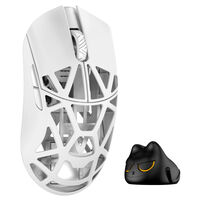
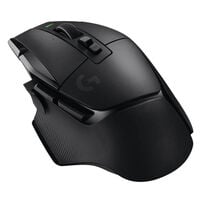
Wireless mice give you greater freedom of movement for gaming and everyday use, connecting to your PC via 2.4 GHz or Bluetooth, depending on the model.
Wireless Mice for Greater Freedom of Movement
Wireless gaming mice connect to your PC via Bluetooth or 2.4 GHz wireless technology. They offer significantly more freedom of movement in fast-paced shooters than wired models. Mice with polling rates of up to 8,000 Hz over a 2.4 GHz connection provide exceptionally high polling rates.
2.4 GHz or Bluetooth: Which Is Better?
Most wireless gaming mice support both Bluetooth and 2.4 GHz connections.
If you want to connect your mouse wirelessly to your PC for competitive gaming, a 2.4 GHz connection is the better choice. This uses a USB dongle connected to your PC to establish the wireless connection. Depending on the model, polling rates of up to 8,000 Hz are possible, allowing inputs to be transmitted to your PC at extremely short intervals.
Although Bluetooth mice have higher latency and lower polling rates, they are practical for everyday use and office work. You can quickly switch between devices and don't need an additional dongle.
What Polling Rate Should a Wireless Gaming Mouse Have?
The ideal polling rate depends primarily on your gaming style and setup. Higher polling rates mean that mouse position data is transmitted to your PC more frequently, although this can also increase power consumption in wireless mice.
| Polling Rate |
Suitable For |
Overview |
| 1,000 Hz |
Gaming and everyday use |
More than sufficient for most gamers |
| 2,000 Hz |
Fast-paced games and high refresh rates |
More frequent position updates with a moderate increase in power consumption |
| 4,000 Hz |
Competitive gaming and fast-paced shooters |
Very short intervals between position updates |
| 8,000 Hz |
High-end and competitive gaming setups |
Extremely high polling rate, but usually higher battery consumption |
Prefer a wired connection and don't want to worry about battery life or wireless connectivity? You'll also find wired mice for gaming and office use at Caseking.
FAQ – Wireless Mice
Are Wireless Gaming Mice Slower Than Wired Mice?
Modern 2.4 GHz gaming mice offer very low latency and high polling rates. With suitable models, the difference compared to wired mice is therefore minimal when gaming.
How Long Does the Battery of a Wireless Gaming Mouse Last?
Battery life depends on the model, polling rate, lighting and wireless connection used. Particularly high polling rates can significantly increase power consumption.
Can I Use a Wireless Gaming Mouse While Charging?
This is possible with many models. If the mouse charges via a USB cable, you can often continue using it while it charges.
Do I Always Need a USB Dongle for 2.4 GHz?
Generally, yes. The 2.4 GHz connection on gaming mice usually requires an included USB receiver. Some manufacturers also offer separate high-polling-rate dongles.
Are Wireless Gaming Mice Heavier?
Not necessarily. Many modern wireless gaming mice are very lightweight despite their built-in batteries, with weights comparable to wired models.