Discover external hard drives and USB flash drives for backups, gaming, and fast data transfers – with USB-A or USB-C and various storage capacities.
External Hard Drives and USB Flash Drives
Whether you need a compact USB flash drive, a fast external SSD, or a high-capacity external HDD, portable storage lets you back up documents, games, photos, and videos or transfer them between compatible devices. The right solution primarily depends on the amount of data, the required speed, the connector, and your intended use.
Which Portable Storage Is Right for Your Use Case?
| Storage Type |
Key Advantage |
Suitable For |
| USB Flash Drive |
Particularly compact |
Documents, presentations, and occasional data transfers |
| External HDD |
Large storage capacity at an affordable price |
Backups, large data archives, photos, and videos |
| External SSD |
High transfer speeds |
Large files, gaming, content creation, and mobile work |
Types of Portable Storage at a Glance
USB Flash Drives
USB flash drives are highly compact and therefore easy to transport. They are available with USB-C and USB-A connectors and in many different storage capacities. However, they are less suitable for large amounts of data, as their transfer speeds are generally lower than those of external drives.
External Hard Drives
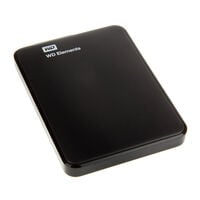
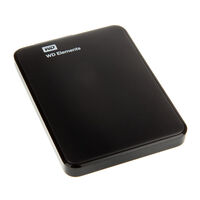
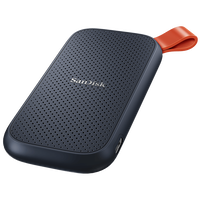
External hard drives are available as both HDDs and SSDs. External HDDs stand out primarily for offering large amounts of storage at a comparatively low price. SSDs provide very high transfer speeds but are more expensive.
Models are available with capacities ranging from a few hundred gigabytes to several terabytes. To connect them to a device, you need a suitable USB cable, and transfer speeds depend on the drive, the USB port of the connected device, and the cable being used.
FAQ – Portable Storage
What Is the Difference Between a USB Flash Drive and an External Hard Drive?
USB flash drives are particularly compact and suitable for quickly transporting documents, images, and other files. External hard drives generally offer more storage capacity and are particularly suitable for backups, games, videos, and larger data archives.
Which Portable Storage Is Suitable for Backups?
An external hard drive is generally the best choice for extensive or regular backups. External hard disk drives provide a large amount of storage at a comparatively low price, while external SSDs offer higher transfer speeds and a more compact design.
Which Is Faster: a USB Flash Drive, External HDD, or External SSD?
External solid state drives generally provide the highest and most consistent transfer speeds. USB flash drive performance varies significantly depending on the model, while external HDDs primarily stand out for their high storage capacities and low cost per terabyte.
How Much Storage Capacity Do I Need?
The required storage capacity depends on the type of data you want to store. Smaller capacities are often sufficient for documents and occasional data transfers. Photos, videos, games, and full backups, on the other hand, require significantly more storage space.
Can I Use Portable Storage with Different Devices?
Depending on the connector and formatting, USB flash drives and external hard drives can be used with PCs, laptops, consoles, tablets, or smartphones. Before purchasing, check which connectors and file systems are supported by the respective device.