



Gaming PCs for League of Legends
League of Legends is one of the most-played eSports titles in the world and demands stable performance with high FPS. Our Gaming PCs for LoL are designed to keep you in full control during ranked games – from smooth 5v5 matches on the Rift to intense eSports competitions with over 200 FPS.
43 Results
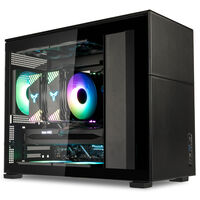
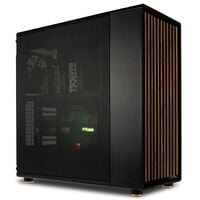
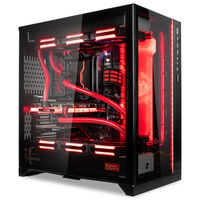
Gaming PCs for League of Legends at Caseking

League of Legends isn’t particularly demanding from a technical standpoint, but anyone aiming for consistently high FPS and minimal latency for competitive gameplay greatly benefits from modern hardware. Our systems are optimized for low input delay, stable framerates, and short loading times – perfect for ranked matches or relaxed casual sessions with your friends.
What hardware does a Gaming PC need to play LoL?
Even a modern entry-level PC can run LoL smoothly in 1080p. However, for ambitious players with 144 Hz or 240 Hz monitors, more powerful hardware is recommended to maintain consistent FPS during team fights. Here are our recommendations:
| Category | CPU | GPU | RAM |
|---|---|---|---|
| 1080p (60–144 FPS, Standard) | Intel Core Ultra 5 / AMD Ryzen 5 9600 | NVIDIA RTX 5050 / AMD RX 9060 XT | 16 GB DDR5 |
| 1080p (Competitive, 240 FPS) | Intel Core Ultra 7 / Intel Core i5-14600K AMD Ryzen 7 9700 |
NVIDIA RTX 5060 Ti / AMD RX 9060 XT | 16 GB DDR5 |
| 1440p (WQHD, 144–240 FPS) | Intel Core Ultra 7 / Intel Core i7-14700K AMD Ryzen 7 9700X3D |
NVIDIA RTX 5070 / AMD RX 9070 XT | 16–32 GB DDR5 |
| 2160p (4K, 120–144 FPS) | Intel Core Ultra 9 / Intel Core i9-14900K AMD Ryzen 9 9950X |
NVIDIA RTX 5080 | 32 GB DDR5 |
Pro Tip: How to rank up fast in LoL
LoL is CPU-heavy. With a Core Ultra 7 or Ryzen 7 X3D, you’ll gain extra FPS during hectic team fights – especially when paired with a 240 Hz monitor.
Of course, practice is the foundation. But with the right hardware, ranking up becomes easier, and you won’t lose matches due to annoying FPS drops.
The best Legends Gaming PC for you?
Our LoL PCs are perfect for casual players who just want to enjoy the Rift as well as ambitious ranked players who want to make every millisecond count.
Gaming PCs sorted by RAM:
Here you’ll find systems with matching RAM configurations.
League of Legends for PC FAQ
Do I need high-end hardware for LoL?
No. LoL runs even on entry-level hardware. However, for stable 240 FPS or streaming, stronger hardware is recommended.
How much RAM do I need for LoL?
8 GB is the minimum, but 16 GB is recommended for smooth multitasking. With 32 GB, you’re well-prepared for mods, streaming, and future updates.
Is an SSD worth it?
Yes, loading times are extremely short with an SSD – handy for matchmaking and map loading.
Can I stream with a LoL PC?
Yes, with a Ryzen 7 or Core i7/i9 and at least 16–32 GB RAM, you can easily stream in high quality.
Why your Gaming PC should come from Caseking
Built in Berlin – by enthusiasts, not on an assembly line. You choose: Prebuilt PC, Configurator or Custom Build with water cooling. We deliver clean builds – quiet, fast, and exactly as you imagined.
Every PC is stress-tested: benchmarks and load tests. Preconfigured BIOS (XMP/EXPO), temperatures and stability fully documented.
Safe shipping: Prebuilt PCs via UPS, high-end & water-cooled systems via freight. Protected inside and out for maximum transport safety.
All-round service: direct support from Berlin, 3-year warranty with pick-up & return. GPU water cooling without warranty loss if both card and cooler come from us.
At a glance:
- Your perfect PC: prebuilt, configurable, or full custom build.
- Ready to play: tested, documented, and bloatware-free.
- Completely worry-free: safely packaged, Berlin-based support.
Learn more
We’ve got even more reasons why your next PC should come from Caseking. Read all about it in our blog.
Go to Blog