



Switches for Custom Mechanical Keyboards
Discover our range of different switches for your keyboard. Find out what to consider before buying.
28 Results


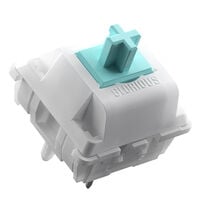
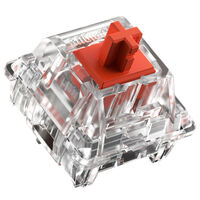

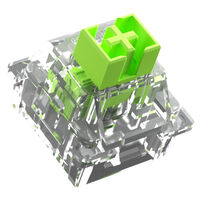






Page Title:
Keyboard Switches | Linear, Tactile & Clicky
Page description
Keyboard switches for mechanical keyboards. Tactile, linear, and clicky switches for gaming and office use.
SEO SEC TOP
Discover our range of different switches for your keyboard. Find out what to consider before buying.
SEO SEC BOTKeyboard Switches
With the right keyboard switches, you determine the typing feel, resistance, and sound of your mechanical keyboard. Whether you want to modify a hot-swap keyboard or build a custom keyboard, the right switches for you primarily depend on the switch characteristics, actuation force, actuation point, and compatibility.
Which Switches Suit My Use Case?
| Switch Type | Typical Use Cases |
|---|---|
| Linear Switches | Gaming, fast-paced action games, and frequently repeated inputs |
| Tactile Switches | Gaming, typing, office work, and home office use |
| Clicky Switches | Long-form typing, programming, and use in environments where noise is not an issue |
What Types of Keyboard Switches Are Available?
Switches for mechanical keyboards are divided into three main types: tactile, linear, and clicky switches.
Linear switches have no noticeable tactile bump and feel consistent throughout the entire keypress. This allows for fast keystrokes without any additional feedback interrupting the movement.
Clicky switches are the opposite of linear switches. They provide a clearly noticeable tactile bump and produce an audible click when actuated. This makes it easy to tell exactly when a keystroke has been registered.
Tactile switches also provide noticeable feedback, but without the loud click. You can clearly feel when the key has actuated without the additional noise of a clicky switch.
Actuation Force, Actuation Point, and Key Travel
The actuation force indicates how much force is required to actuate a switch. It is commonly specified in gf, meaning gram-force, or in cN. When comparing switches, check whether the manufacturer specifies the force at the actuation point or the force required to press the switch all the way down.
- Light switches up to around 45 gf: can be actuated quickly but may be triggered accidentally if you are not used to a very light typing feel
- Medium-weight switches from around 45 to 60 gf: provide balanced resistance for gaming, typing, and everyday use
- Heavy switches from around 60 gf: provide more resistance and control but may become more tiring during extended use
The actuation point also determines how far a key must be pressed before the input is registered. Total travel, on the other hand, indicates how far the switch can be pressed down completely.
Analogue and Optical Switches
Analogue switches detect how far a key is pressed and, depending on the keyboard, enable adjustable actuation points, Rapid Trigger, or multiple actions per key. Detection may be magnetic or optical, for example. Optical switches register keypresses using a light signal and are available with either fixed or variable actuation points. Analogue, analogue-optical, and purely optical switches each require a compatible keyboard and cannot be used in standard mechanical hot-swap sockets.
Compatibility with Your Keyboard
Before purchasing, check which switches your keyboard supports. With a hot-swap keyboard, you can replace compatible switches without soldering, while soldered models require considerably more effort. Mechanical switches are commonly available as 3-pin or 5-pin variants and often use an MX-compatible cross-shaped stem for suitable keycaps. However, mechanical, optical, and magnetic switches are based on different technologies and cannot be combined freely. Some keyboards also use manufacturer- or model-specific switch systems. Always refer to the compatibility information provided for your keyboard.
Want to Learn More About Keyboard Switches?
Our blog provides more information about switch construction and how to find the right switch for you.
Go to the BlogFAQ – Keyboard Switches
Which Switches Are Compatible with My Keyboard?
Compatibility depends on the switch system and the installed sockets. Depending on the model, mechanical hot-swap keyboards support 3-pin or 5-pin switches. Optical, magnetic, and analogue-optical switches require a keyboard specifically designed for the relevant technology.
Which Keyboard Switches Are Suitable for Gaming?
Linear switches with a low actuation force and short actuation distance are commonly chosen for gaming. Depending on the keyboard, analogue or magnetic switches may also provide adjustable actuation points and Rapid Trigger. The best option depends on your preferred resistance and typing feel.
What Is the Actuation Point of a Keyboard Switch?
The actuation point indicates how far a key must be pressed before the input is registered. A short actuation distance can make fast inputs easier but may also increase the risk of accidental keystrokes depending on your typing style. On some analogue, magnetic, and analogue-optical keyboards, the actuation point can be adjusted individually.
How Many Switches Do I Need for My Keyboard?
The required number depends on the keyboard size and layout. A 60-percent keyboard usually requires around 61 switches, a 65-percent model around 67 to 68, a TKL keyboard around 87 to 88, and a full-size keyboard around 104 to 110. It is advisable to purchase a few additional switches as spares.
Which Keyboard Switches Are Particularly Quiet?
Silent linear and silent tactile switches feature additional dampening elements that reduce noise when the switch is pressed and returns to its original position. They are particularly suitable for offices, home offices, streaming, and shared spaces. However, the actual noise level also depends on the keyboard case, keycaps, stabilizers, and typing style.
What Is the Difference Between 3-Pin and 5-Pin Switches?
In addition to the electrical contacts, 3-pin switches feature a central plastic pin. 5-pin switches also include two additional plastic positioning pins that provide greater stability on the PCB. With some keyboards, 5-pin switches can only be used after the two additional pins have been removed.