


AI PCs
AI prebuilt PCs for local artificial intelligence workflows: Run LLMs, image generation, coding assistants and creator tools directly on your own computer.
4 Results
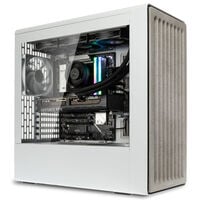
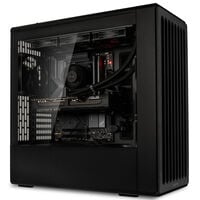
Buy AI PCs: Local AI on Your Own Desktop
AI PCs are powerful prebuilt systems for anyone who wants to use artificial intelligence locally. Instead of sending every request to the cloud, many AI applications run directly on your PC: from local LLMs and image generation to AI-powered coding and creator workflows.
You stay in control of your data, work independently of queues and subscriptions, and choose a preconfigured AI system that fits your workflow. Particularly important are a powerful graphics card, sufficient VRAM, plenty of memory, fast SSDs and reliable cooling.
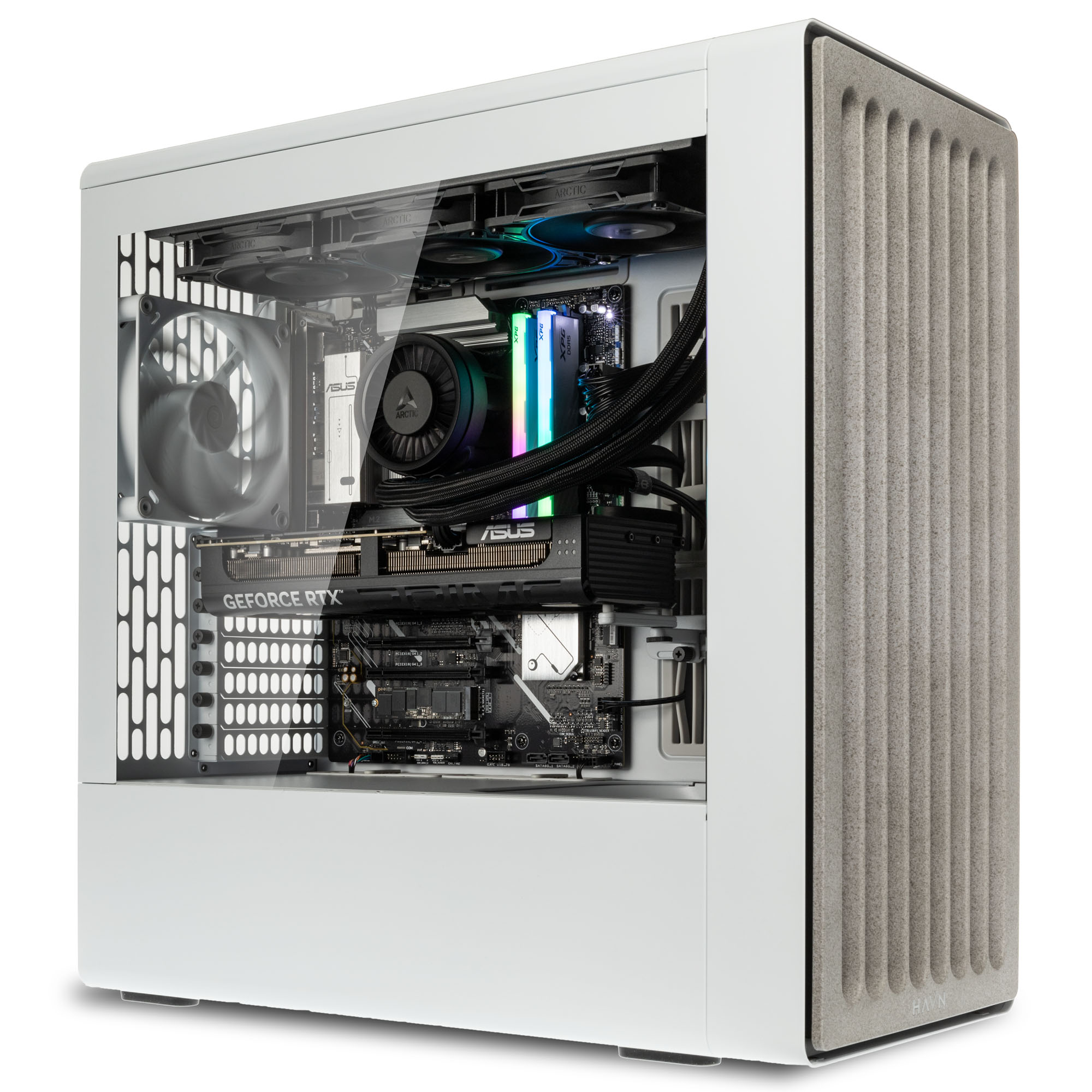
Why Choose a Local AI PC Instead of Cloud AI?
An AI PC is especially worthwhile if you regularly work with AI tools such as Qwen, Ollama or LM Studio and don't want to rely on external services for every prompt, image or dataset. Local AI processes sensitive files directly on your computer, responds without cloud queues and does not incur usage-based costs per request.
At the same time, an LLM PC is a deliberate investment: Initial costs are higher than for a standard office PC, powerful hardware consumes more energy and not every large cloud model can be replicated locally one-to-one. In return, you get a complete system that can be expanded, customised and used long term for productivity, development and content creation.
What Makes a Good AI PC?
For an AI PC, it's not just about gaming performance. VRAM, AI acceleration and stability under sustained workloads are equally important. For local LLMs, generative AI and large-scale projects, the key is ensuring that the CPU, GPU, memory and storage are well balanced.
| Component | Important For | What to Look For |
|---|---|---|
| Graphics Card | LLMs, image generation, AI acceleration, rendering | High compute performance and sufficient VRAM for larger models |
| Processor | Multitasking, data preparation, compiling | Many fast cores and modern platform features |
| Memory | Large projects, local datasets | Plan generously, especially for development and creator workflows |
| SSD Storage | Models, checkpoints, media projects, datasets | Fast NVMe SSDs with enough capacity for growing projects |
| Cooling & Power Supply | Consistent performance during long AI sessions | Balanced cooling and sufficient power headroom for future upgrades |
AI PCs for Developers and Creators
Not every AI PC is the same. A system designed for software development, local APIs and LLM experimentation prioritises different features than a PC built for AI image generation, video editing or 3D workflows. That's why you'll find AI PCs tailored to different use cases.
| Category | Typical Applications | Focus |
|---|---|---|
| AI PCs for Developers | Local LLMs, RAG projects, prototyping, coding assistants, AI APIs | GPU performance, memory, fast SSDs and flexible platforms |
| AI PCs for Creators | Image generation, video editing, 3D rendering, upscaling and content creation | VRAM, rendering performance, quiet cooling and large storage capacity |
Which AI PC Fits Your Workflow?
The right AI PC depends primarily on the tasks you want to run locally. Creative projects have different requirements than local LLMs, coding assistants or running DeepSeek locally. This overview helps you quickly identify the right category.
| Your Workflow | Recommended Category | Typical Use | What Matters Most |
|---|---|---|---|
| AI Image Generation & Content Creation | AI PCs for Creators | Image generation, video editing, 3D rendering, upscaling, image editing and creative AI workflows | Powerful GPU, ample VRAM, fast SSD storage and quiet cooling under sustained workloads |
| Local LLMs & Ollama | AI PCs for Developers | Running LLMs locally, Ollama, LM Studio, DeepSeek, Llama and local AI assistants | Balanced VRAM/RAM capacity, fast NVMe SSDs and stable performance during longer sessions |
| AI Coding & Development | AI PCs for Developers | AI coding, coding assistants, RAG projects, APIs, prototyping and development environments | Fast CPU, plenty of RAM, strong GPU performance and enough storage for models, projects and datasets |
| Machine Learning & Deep Learning | AI PCs for Developers | Experiments, data analysis, model testing, training smaller models and technical AI projects | GPU performance, sufficient memory, fast storage and thermal stability |
| Gaming, Streaming & AI on the Side | All AI PCs | Gaming, streaming, productivity and first local AI tools on a powerful desktop system | Balanced performance across GPU, CPU, RAM, SSD and cooling |
Local AI: More Control Over Your Workflows
With a local LLM PC, you run models, prompts and creative projects directly on your AI workstation. This is especially valuable when working with confidential content, testing your own workflows or using AI tools without permanent cloud dependency.
To achieve the best results, the right hardware is essential: Small experiments can already run on compact systems, while large models, high image resolutions and parallel workloads require significantly more VRAM, memory and cooling performance.
Tokens per Second: How Fast Do AI Models Run Locally?
The response speed of local LLMs is often measured in tokens per second. How quickly DeepSeek, Llama or another model runs locally depends heavily on model size, quantisation, context length, GPU, VRAM, RAM and the software being used.
Smaller 7B or 8B models often run at very smooth speeds on modern GPUs. Larger 32B or 70B models require significantly more memory – around 30 to 60 GB – and respond noticeably slower, especially when parts of the model need to be offloaded from VRAM into system memory.
What Are the Advantages of an AI Prebuilt PC?
- Greater Privacy: Files, prompts and projects can be processed locally instead of being sent to external services.
- Fast Response Times: Local AI tools run directly on your machine learning PC without queues or server-side delays.
- Predictable Costs: Once purchased, there are no API fees for locally executed models, image generation or testing workloads.
- Flexible Usage: An AI PC is suitable not only for AI workflows but also for gaming, streaming, development and content creation.
- Upgradeability: Desktop systems can be expanded with additional RAM, storage or a more powerful graphics card depending on the platform.
What Disadvantages Should You Consider?
- Higher Initial Costs: Powerful AI hardware is more expensive than a traditional office PC or entry-level gaming system.
- Higher Power Consumption: Long AI sessions with sustained GPU workloads require more energy and effective cooling.
- Model Limitations: Not every large cloud model can be run locally at the same scale or speed.
- Setup and Maintenance: Local AI tools, models and drivers need to be installed, configured and kept up to date.
Buying an AI PC: What Should You Look For?
If you want to buy an AI PC, you should first define your workflow. For local chatbots and coding assistants, a balanced system with a powerful GPU, plenty of RAM and a fast SSD is ideal. For AI image generation and creator projects, VRAM capacity, rendering performance and storage become increasingly important. Developers should also prioritise platform flexibility, upgradeability and stable performance during long testing sessions.
A good AI PC is therefore more than a benchmark machine – it is a system with headroom. Local AI projects often grow quickly: New models, larger datasets, higher resolutions and multiple parallel tools all benefit from hardware that is not already operating at its limits.
For local AI models, AI image generation, content creation and software development, you benefit from Caseking’s many years of experience in configuring and building high-performance PC systems. Every AI PC is carefully assembled, inspected and tested by our experts before shipping.
- Many years of experience in building and configuring high-performance PC systems
- Careful assembly, quality control and functional testing before shipment
- 36-month King Mod warranty including pickup & return service
- Custom hardware upgrades and special configurations available
- High-performance systems for local AI applications, content creation and development
Need more memory, a different graphics card or a custom configuration for your workflow? Simply contact us at [email protected] and we’ll be happy to discuss the available options for your system.
FAQ – AI PCs
What Is an AI PC?
An AI PC is a high-performance computer designed for local AI applications. These include local LLMs, AI image generation, coding assistants, upscaling, data analysis and creator workflows.
What Can I Do with a Local AI PC?
You can run local chatbots, analyse documents, generate images, write code, edit videos, upscale media or test your own AI projects.
Is an AI PC Better Than Cloud AI?
That depends on your use case. Cloud AI often provides access to very large models, while a local AI PC offers greater control, stronger privacy and predictable costs. For regular local workflows, a dedicated AI PC is particularly attractive.
How Important Is the Graphics Card in an AI PC?
For many AI applications, the graphics card is the most important component. Local LLMs, image generation, rendering and AI acceleration benefit greatly from strong GPU performance and sufficient VRAM.
Do I Need an NPU for an AI PC?
An NPU can accelerate certain AI functions very efficiently. However, for large local models, AI image generation and many creator or developer workflows, a powerful graphics card remains the most important component.
What Is the Difference Between AI PCs for Developers and AI PCs for Creators?
AI PCs for developers are more heavily focused on local LLMs, coding, APIs, test environments and datasets. AI PCs for creators prioritise image generation, video editing, 3D rendering, upscaling and creative software.
Can I Also Game on an AI PC?
Yes, many AI PCs also make excellent high-performance gaming systems. A powerful graphics card, fast CPU and at least 32 GB of RAM are beneficial for both modern games and local AI workflows.
How Much VRAM Does an AI PC Need?
The amount of VRAM you need depends heavily on your AI workflow. Smaller local LLMs, initial experiments and basic image-generation projects require less graphics memory than large language models, high resolutions or parallel workloads. If you plan to use your AI PC long term, it is advisable to leave plenty of VRAM headroom.
Should I Choose 32 GB or 64 GB of RAM for Local AI?
For occasional AI experiments, local chatbots and smaller projects, 32 GB of RAM is often sufficient. For larger LLMs, longer context windows, image generation, video editing, rendering or multiple AI tools running simultaneously, 64 GB of RAM is significantly more comfortable. If you're planning for the future, don't cut memory capacity too close.
Which PC Is Suitable for Stable Diffusion?
For Stable Diffusion, a powerful graphics card with sufficient VRAM is the most important requirement. AI image generation, upscaling and higher resolutions also benefit from ample RAM, a fast NVMe SSD and reliable cooling. If you regularly work with Stable Diffusion, an AI PC with generous VRAM reserves is highly recommended.
Which AI PC Is Suitable for ComfyUI?
ComfyUI benefits particularly from a powerful GPU, plenty of VRAM and fast SSD capacity for models, checkpoints and temporary files. Simple workflows run on modest hardware, but complex node structures, high resolutions and multiple models simultaneously require noticeably more VRAM and system memory.
Which AI PC Is Suitable for Ollama or LM Studio?
For Ollama, LM Studio and similar local LLM tools, you should prioritise a powerful GPU, sufficient VRAM, plenty of RAM and a fast NVMe SSD. The larger the model, the longer the context window and the more tasks you run in parallel, the more important graphics memory and system memory become.
Can I Run Large LLMs Locally on an AI PC?
Many local LLMs can be run on a suitable AI PC. However, requirements increase significantly with model size, quantisation and context length. Smaller models are much easier to run locally, while larger models require more VRAM, RAM and compute performance. For demanding LLM workflows, it is advisable to choose a system with generous hardware reserves.
How Much SSD Storage Does an AI PC Need?
AI models, checkpoints, datasets, project files and media assets can quickly consume large amounts of storage. A fast NVMe SSD ensures that models, tools and projects load quickly. For growing AI workflows, sufficient SSD capacity is highly recommended, especially if you work with image generation, video editing or multiple local models.
Can a Gaming PC Also Be Used as an AI PC?
Many powerful gaming PCs are also suitable for local AI applications, provided that the GPU, VRAM, RAM and SSD meet the workload requirements. For AI, however, it is not just gaming performance that matters, but also graphics memory capacity, stability under sustained workloads and sufficient headroom for models, datasets and parallel tools.
What Is the Difference Between an AI PC and an AI Workstation?
An AI PC is ideal for local LLMs, image generation, coding assistants, creator tools and productive AI workflows on the desktop. An AI workstation is designed for much larger models, extensive datasets, professional applications, larger memory capacities, more powerful GPUs and highly expandable platforms.
When Is an AI PC Preferable to Cloud AI?
An AI PC is particularly worthwhile if you regularly work with local AI tools, do not want to send confidential data to external services or want to avoid API fees for locally executed models. Cloud AI remains practical for very large models and occasional use, while a dedicated AI PC gives you significantly more control over your workflows.
Which Graphics Card Is Important for an AI PC?
For many AI workflows, the graphics card is the most important component. Local LLMs, Stable Diffusion, ComfyUI, rendering and GPU-accelerated tools benefit from high compute performance and sufficient VRAM. The ideal GPU depends on whether you want to test smaller models, generate images or run large-scale workloads locally.