


Lighting
From RGB strips to RGB controllers – here you’ll find everything for PC lighting and lighting control.
168 Results
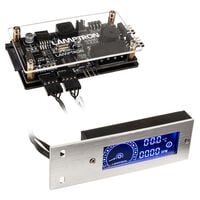
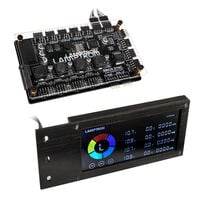

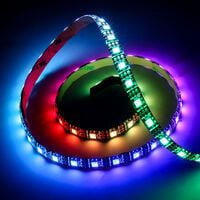


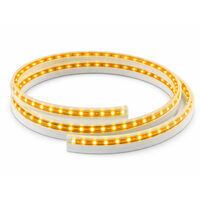
RGB PC Lighting: How to Light Up Your Gaming Setup
RGB lighting is one of the easiest ways to customize your gaming setup. Whether you're building a new RGB gaming PC or upgrading existing hardware, the right lighting creates impressive visual effects.
From RGB controllers and central hubs to LED strips for your PC case, you’ll find everything you need for a perfectly coordinated lighting system.
RGB Controllers for Your Gaming PC
An RGB controller or hub is ideal if you want to manage multiple lighting components or if your motherboard has limited headers.
With a controller, you can synchronize RGB fans, LED strips, and other components and control them centrally – either via BIOS or software like Lian Li L-Connect 3 or Phanteks NEXLINQ.
For complex setups, an RGB controller helps maintain consistent effects and clean cable management.
LED Strips for Your PC Case
LED strips for PC cases allow you to add targeted lighting accents and enhance your system’s appearance.
They can be flexibly mounted inside or outside the case and connect via 3-pin ARGB (5V) or 4-pin RGB (12V) headers.
Many models feature adhesive backing or magnets – ideal for quick and easy installation without modifications.
RGB vs. ARGB: The Key Difference Explained
When choosing PC RGB lighting, you’ll often encounter RGB and ARGB (addressable RGB). The difference is crucial for compatibility and lighting effects:
- RGB (12V, 4-pin): All LEDs display the same color – ideal for simple lighting.
- ARGB (5V, 3-pin): Each LED can be controlled individually – perfect for dynamic effects like rainbow or wave patterns.
Important: RGB and ARGB are not compatible and cannot be connected directly.
Modern motherboards increasingly rely on ARGB headers due to their advanced customization options.
Which RGB Lighting Is Right for Your PC?
The right RGB lighting setup depends on your needs. For simple illumination, standard RGB lighting is sufficient. For more advanced effects and customization, ARGB is the better choice.
Also consider how many RGB headers your motherboard provides and whether you plan to connect additional devices. In such cases, an RGB controller or hub is recommended for centralized control.
Plan your RGB setup in advance to ensure compatibility and optimal performance across all components.
FAQ – PC Lighting
What does RGB stand for?
RGB stands for “Red, Green, Blue.” These three colors are combined to produce a wide range of different color tones.
What is the difference between RGB and LED?
LED refers to the light-emitting diode itself, the technology that produces light. RGB describes the color system that combines red, green, and blue to create different colors.
How do I control RGB lighting?
RGB lighting is typically controlled via manufacturer software such as ASUS Aura Sync, MSI Mystic Light, Gigabyte RGB Fusion, Corsair iCUE, Lian Li L-Connect 3, or Phanteks NEXLINQ. Depending on your setup, control is handled either through the motherboard or a dedicated RGB controller.